NexAIX-官方博客
If you already have code calling a model via the OpenAI SDK, integrating Kimi K3 requires just two changes: replace base_url with the provider's endpoint, and model with kimi-k3.
But what will actually make you dig through logs the next day isn't these two lines—it's three ways it differs from most models:
- The reasoning chain is always on, adding a
reasoning_contentfield in responses; - In multi-turn conversations and tool call loops, this field must be returned as-is; returning only
contentbreaks context state; - The default value of
reasoning_effortismax; unless you explicitly lower it, every request runs at the deepest reasoning level.
Handle these three first, and the rest are standard engineering concerns.
First decide if this task is worth using K3
Specifications determine what it's good for. Kimi K3 is Moonshot AI's flagship native multimodal MoE model released in July 2026: 2.8T total parameters, ~104B activated parameters (16 out of 896 experts), native support for 1,048,576 (1M) tokens context, and input coverage of text, images, and video.
Translated into selection terms: activated parameter count determines per-token inference cost and latency, total parameters determine the capability ceiling, and 1M context determines whether it can swallow your entire repository in one go without custom splitting and retrieval. This configuration points to heavy tasks:
- Global review and cross-file refactoring of large repositories—put related code, dependencies, and design docs into context at once, eliminating recall loss from a self-built RAG layer;
- Long-horizon coding and multi-turn, cross-tool autonomous repair—the model must stay on target for dozens of consecutive turns;
- High-difficulty math and logical reasoning.
Conversely, for single-turn tasks like intent classification, short copy rewriting, or fixed-field extraction that demand low latency and high concurrency, it's not cost-effective. Always-on reasoning means every request carries inference overhead, making it impossible to reduce latency and token consumption. Such steps are better handled by lightweight models, reserving K3 for where it's truly needed.
Mixing models of different magnitudes in the same agent pipeline is common: use K3 for planning and hard repairs, and cheaper models for tool argument assembly and result formatting. The prerequisite is that your integration layer can switch model names with the same code.
Minimal viable call
It fully complies with the OpenAI Chat Completions spec, so Python/Node.js official SDKs and most frameworks based on this protocol (various agent frameworks, IDE plugins, clients) require no changes to call logic—only endpoint and model name:
from openai import OpenAI

client = OpenAI(
    api_key="你的 Key",
    base_url="https://api.nexaix.net/v1",
)

resp = client.chat.completions.create(
    model="kimi-k3",
    messages=[{"role": "user", "content": "审查这个模块的并发安全问题"}],
    reasoning_effort="high",
)

print(resp.choices[0].message.reasoning_content)  # 思考过程
print(resp.choices[0].message.content)            # 最终回答
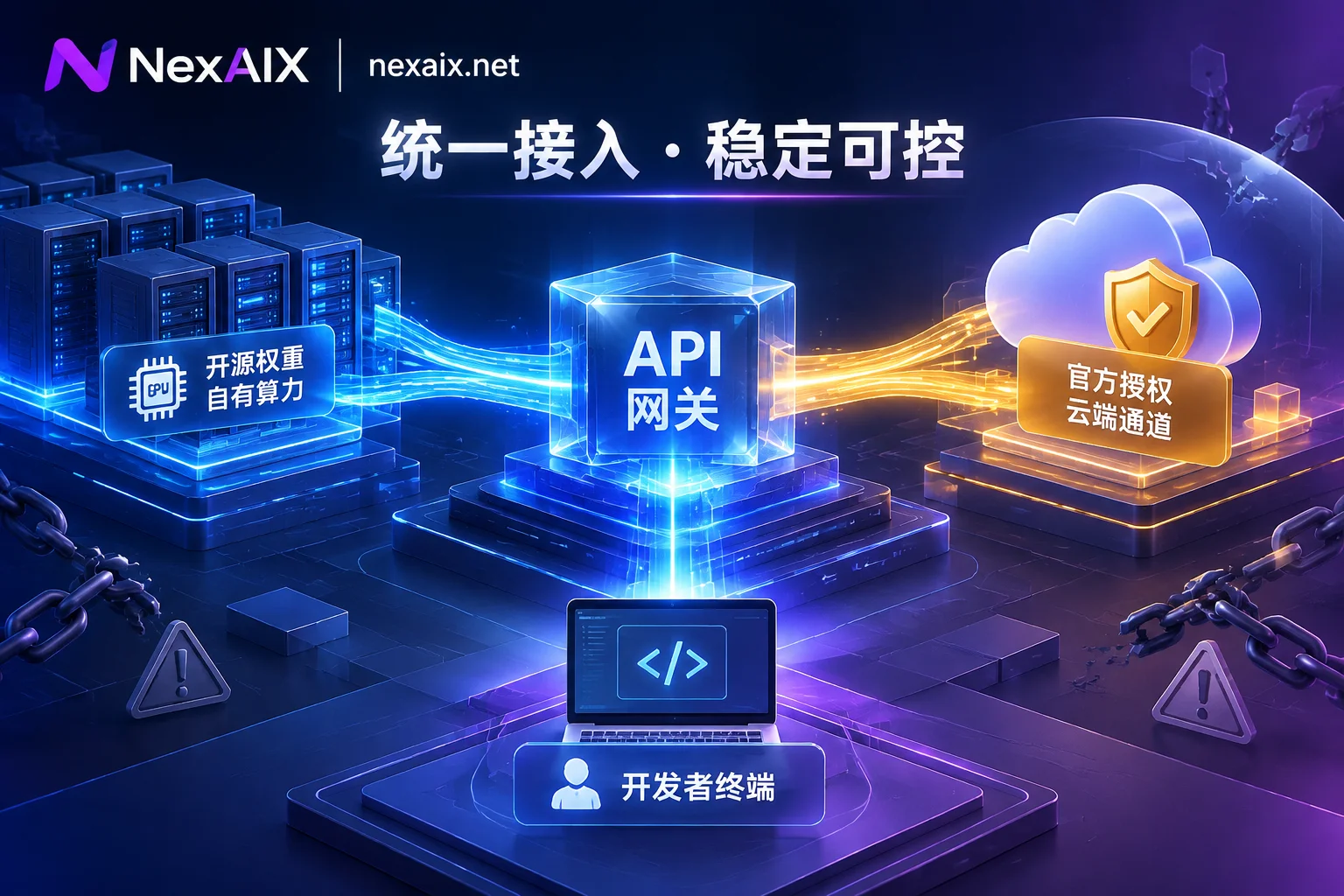
If you're using a relay endpoint, one thing worth confirming: how this model is supplied at your provider. Open-source weight models deployed on proprietary compute clusters versus closed-source models through official vendor-licensed channels are two different supply methods, directly affecting whether you can rely on context length, field completeness, and version stability. NexAIX marks which type each model page belongs to, with only one endpoint https://api.nexaix.net/v1 and no cross-provider routing—you can verify Kimi K3's supply method and public quotas and rate limits on the model list page.
How to choose among the three reasoning_effort levels
reasoning_effort is a top-level request parameter, with options low, high, max, defaulting to max. Note there's no "off" option—the reasoning chain is always on; you can only adjust depth.
Practical trade-offs:
max: default value, reserved for truly hard tasks—complex algorithm design, long-chain debugging, high-difficulty math. Also the level with the greatest latency and token overhead.high: a reasonable starting point for most long-horizon coding and agent loops. Limited capability loss, but significantly better response times across the pipeline.low: for steps where the model needs to be present but not think too long, such as tool argument generation, structured output organizing, simple decision branches.
If your SDK version doesn't recognize this parameter name, pass it via extra_body={"reasoning_effort": "high"}.
An easily overlooked consequence: changing levels alters the output distribution. If you have evaluation baselines or prompt tuning results, they need re-running after switching levels—they can't be reused directly.
Multi-turn and tool calls: must return the complete assistant message
This is the most common pitfall when integrating K3, and the most substantive difference from ordinary Chat Completions models.
K3 strictly requires preserving the complete reasoning history in multi-turn dialogues and tool call loops: the assistant message object returned by the previous API call must be returned as-is into the messages array, including both reasoning_content and tool_calls. Returning only content causes context state breakage or call exceptions—usually not a direct error, but the model suddenly "forgets" why it called that tool last turn, starts repeating calls or going in circles.
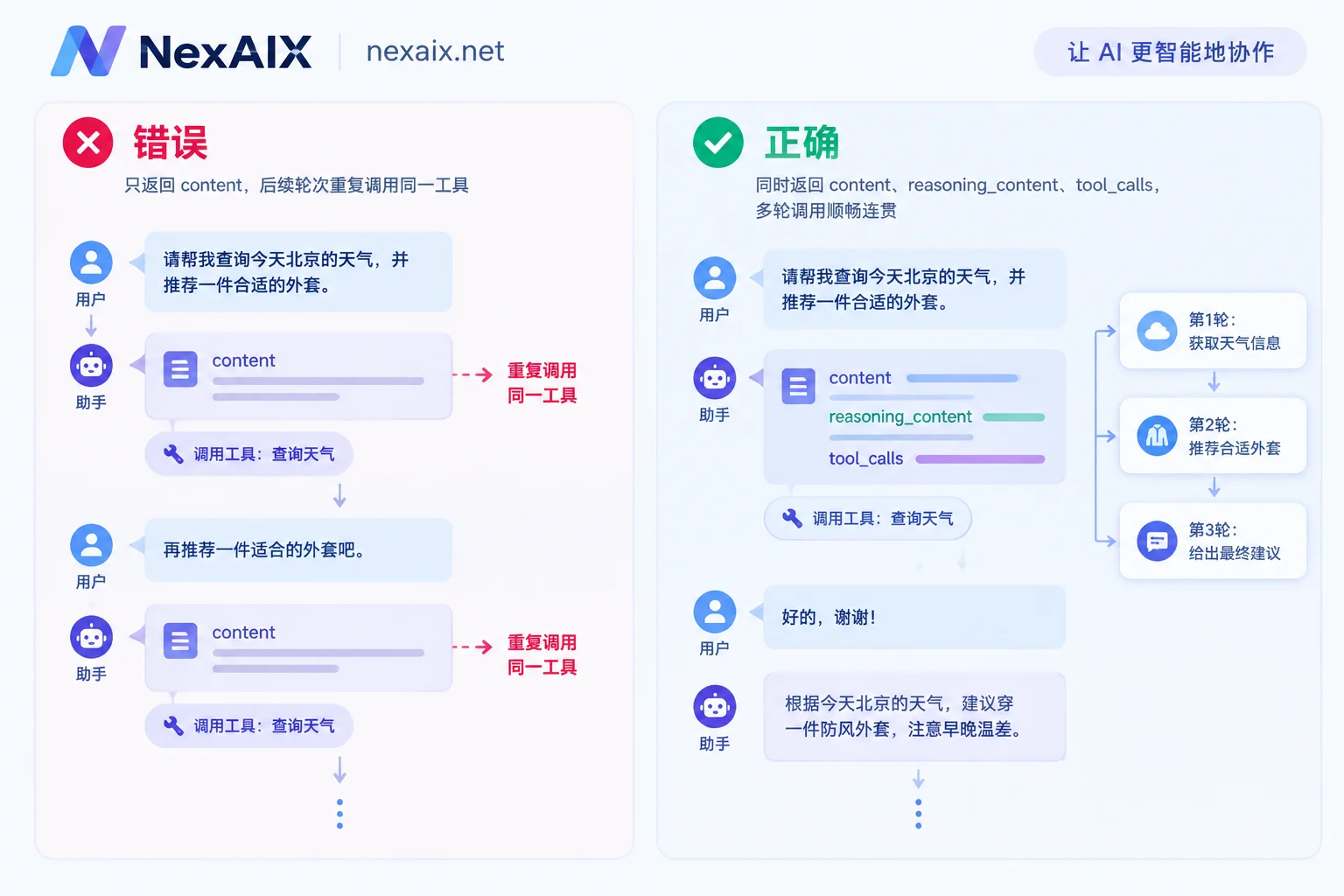
The correct loop looks like this:
messages = [{"role": "user", "content": task}]

while True:
    resp = client.chat.completions.create(
        model="kimi-k3", messages=messages, tools=tools,
    )
    msg = resp.choices[0].message

    # 关键:整个 assistant 对象入栈,含 reasoning_content 与 tool_calls
    messages.append(msg.model_dump(exclude_none=True))

    if not msg.tool_calls:
        break

    for call in msg.tool_calls:
        messages.append({
            "role": "tool",
            "tool_call_id": call.id,
            "content": run_tool(call),
        })
The typical incorrect line is this:
# 错误:丢掉了 reasoning_content
messages.append({"role": "assistant", "content": msg.content})
Many off-the-shelf agent frameworks assemble messages exactly like this internally. Before integrating, it's worth checking their history assembly logic, or printing the actual messages body sent once.
Same for streaming: the incremental chunks of reasoning_content must also be accumulated, reassembled into the complete object, and pushed back—not just collecting the delta of content. For details on streaming parsing and token statistics, see How to integrate streaming output API; general verification points for tool call loops are expanded more fully in How to integrate Agent API.
When the tool list is very long
Cramming dozens of tool definitions into a request at once consumes context and dilutes recall accuracy. The official recommendation is to add a retrieval function (e.g., search_tools) to let the model dynamically inject needed tool definitions into the conversation.
A matching technique: in the first turn, set tool_choice to "required" to force a tool retrieval first; then switch back to "auto" in subsequent turns. This switch does not break the prefix cache, so no need to worry about reducing cache hit rate.
Timeouts, 429, and retries
Two hard boundaries to write into client logic:
- A single complex task supports up to 2 hours of processing time; exceeding returns
504 Gateway Timeout. For long-horizon tasks, use streaming to see progress early and avoid idle connection timeouts in intermediate layers cutting it off prematurely. - Concurrency or rate limit exceeded returns
429 Too Many Requests, requiring client-side backoff retries.
Don't guess backoff parameters: first check if the 429 response includes retry-after; if so, follow it. For specifics, see How long should exponential backoff retries wait and How to handle AI API rate limiting. Also note that retry strategies for 504 and 429 shouldn't be the same—retrying a task that ran for two hours as-is doubles cost and is usually better split. For which errors are worth retrying, this article has classifications.
Verify you're actually getting the complete K3
Heavy flagship models have the strongest incentive for downgrading. Three checks correspond to three common tactics:
1. Is reasoning_content truly complete? Check if it's an empty field, a copy of content, or templated boilerplate. A more reliable method is to run the same prompt with low and max separately, observing whether reasoning length and time actually change with the level—if the two levels produce nearly identical results, the parameter isn't being passed to the model.
2. Long-distance retrieval accuracy in 1M context. Embed several markers in material of 600k to 800k tokens, and ask about content at the beginning, middle, and end positions. If context is silently truncated, this step immediately exposes it.
3. State coherence in multi-turn tool calls. Run a loop of 10+ turns using the correct approach above, and see if the model still remembers the reasons for decisions in early turns later on. If reasoning history is discarded by intermediate layers, the model will repeatedly probe the same direction.
These three correspond to switching to a smaller model, cutting context, and dropping fields. NexAIX states its four principles—no downgrading, no conversation logging, public quotas and rate limits, and per-Key isolation—on its capabilities and verification methods page, and provides reproducible verification steps—regardless of which provider you ultimately use, it's recommended to run such verification before formal integration, rather than checking back after quality fluctuations occur in production.
About video input
K3 natively supports video input, but the specific encoding format for direct HTTP API transmission and the maximum request size per call are parts that vary with endpoint implementation. Refer to the documentation of the endpoint you actually call; don't infer based on image input rules.
Next step: confirm Kimi K3's specifications, supply method, and public quotas on the model page, get a Key from the "Documentation" in the official website navigation (test credits are given upon registration; no enterprise qualification required), then run the three verification checks above before deciding whether to switch production traffic over.