NexAIX-官方博客
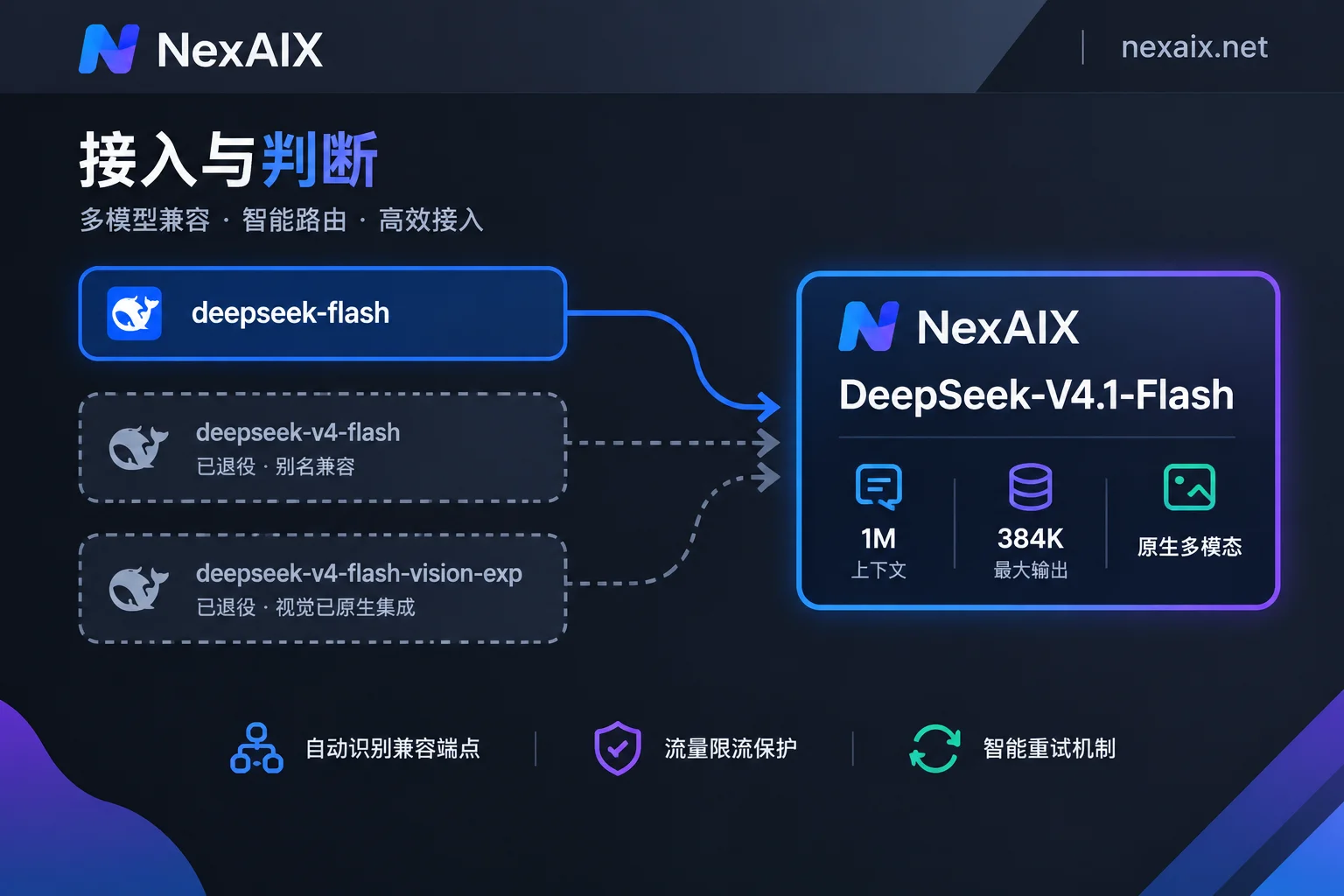
If your code currently uses model="deepseek-v4-flash", requests won't error out, but you're no longer getting the same model as before. This generation has been upgraded across the board to DeepSeek-V4.1-Flash, and the officially recommended standard model name is now deepseek-flash. The original deepseek-v4-flash and deepseek-v4-flash-vision-exp identifiers have been officially retired, kept only as aliases for compatibility—historical requests are automatically routed to the 4.1 version.
So for new code, just specify deepseek-flash directly; existing projects can remain unchanged in the short term, but you should be aware of two things: first, your production behavior has already silently switched to new weights at some point; second, alias compatibility is a vendor's retention strategy, not a permanent commitment. Changing the model name to the explicit new identifier is the single most worthwhile change in this migration.
Where This Model Fits Best
V4.1-Flash is a 552B-parameter Mixture-of-Experts model using a causal encoder-decoder asymmetric architecture: during input prefill, only about 8B parameters are activated; during output decode, about 16B are activated. KV cache is significantly reduced compared to conventional architectures. The direct consequences of this design are low first-token latency, high concurrent throughput, and more controllable memory overhead for long conversations.
Translated into selection criteria:
- Agents and toolchains are its home turf. Multi-turn tool calls mean a single task may involve a dozen or more model calls, and the latency saved each time gets amplified. These scenarios care more about response speed than pure single-call quality.
- Long document processing is viable, with a context limit of 1M tokens (1,048,576) and a maximum output of 384K tokens per request.
- Offline tasks requiring the strongest reasoning quality may not be the best fit for Flash; the Pro model in the same generation has a different positioning. I've covered how to divide work between them in DeepSeek V4 API Integration: Pro vs Flash Version Selection, Call Parameters, and Downgrade Verification.
One more easily overlooked change: vision capabilities are now natively integrated, so you no longer need a separate model with the -vision-exp suffix. If your project maintains a separate model name and branching logic for image understanding, you can delete that entirely—image and text requests go to the same deepseek-flash.
Integration Configuration: Change base_url, Then Confirm Three Parameters
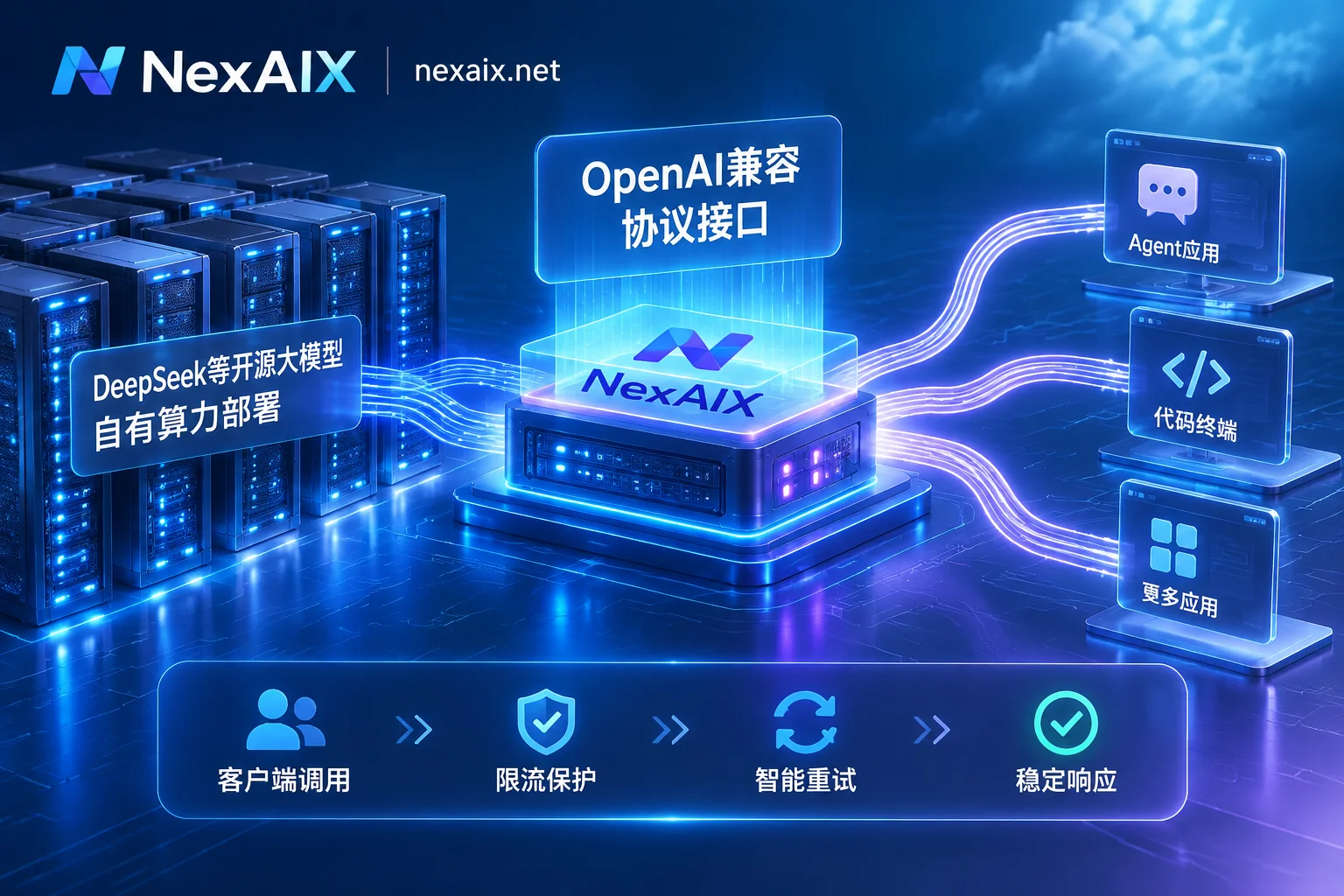
The server natively supports the OpenAI Chat Completions specification, and also offers Responses API and Anthropic-format endpoints. When integrating with the OpenAI SDK or any third-party framework, the only substantive changes are base_url, API Key, and model:
from openai import OpenAI

client = OpenAI(
    api_key="YOUR_KEY",
    base_url="https://api.nexaix.net/v1",
)

resp = client.chat.completions.create(
    model="deepseek-flash",
    messages=[{"role": "user", "content": "..."}],
    max_tokens=16384,
    stream=True,
)
If you're using a relay endpoint, just point base_url to the corresponding OpenAI-compatible address. Upper-layer configurations like agent frameworks, code assistant plugins, and LangChain don't need any changes. NexAIX's endpoint is https://api.nexaix.net/v1, and the model list page indicates whether each model is deployed on proprietary compute with open weights or through an official vendor-authorized channel—these two supply methods have different behavioral boundaries, so it's worth a look before integrating. Whether the specific mounted identifier is deepseek-flash or also maps the old deepseek-v4-flash depends on what the model page actually shows; don't assume based solely on official documentation, as alias policies on both sides may not be synchronized.
Three Parameters You Must Set Explicitly
max_tokens. 384K is the upper limit, not the default. Most SDKs default to a much lower output limit, which can cause mid-generation truncation when producing long reports or large code blocks. To diagnose, check finish_reason: if it equals length, you've hit the output budget; if it equals stop, the model finished on its own.
stream. Enable streaming whenever a single output might exceed a few thousand tokens. Non-streaming long outputs easily hit timeouts at gateways or reverse proxies, manifesting as a request running for two minutes then the connection dropping, with no model-side errors in the logs. For troubleshooting this kind of issue, see SSE Parsing and Proxy Stalling Troubleshooting for Streaming APIs.
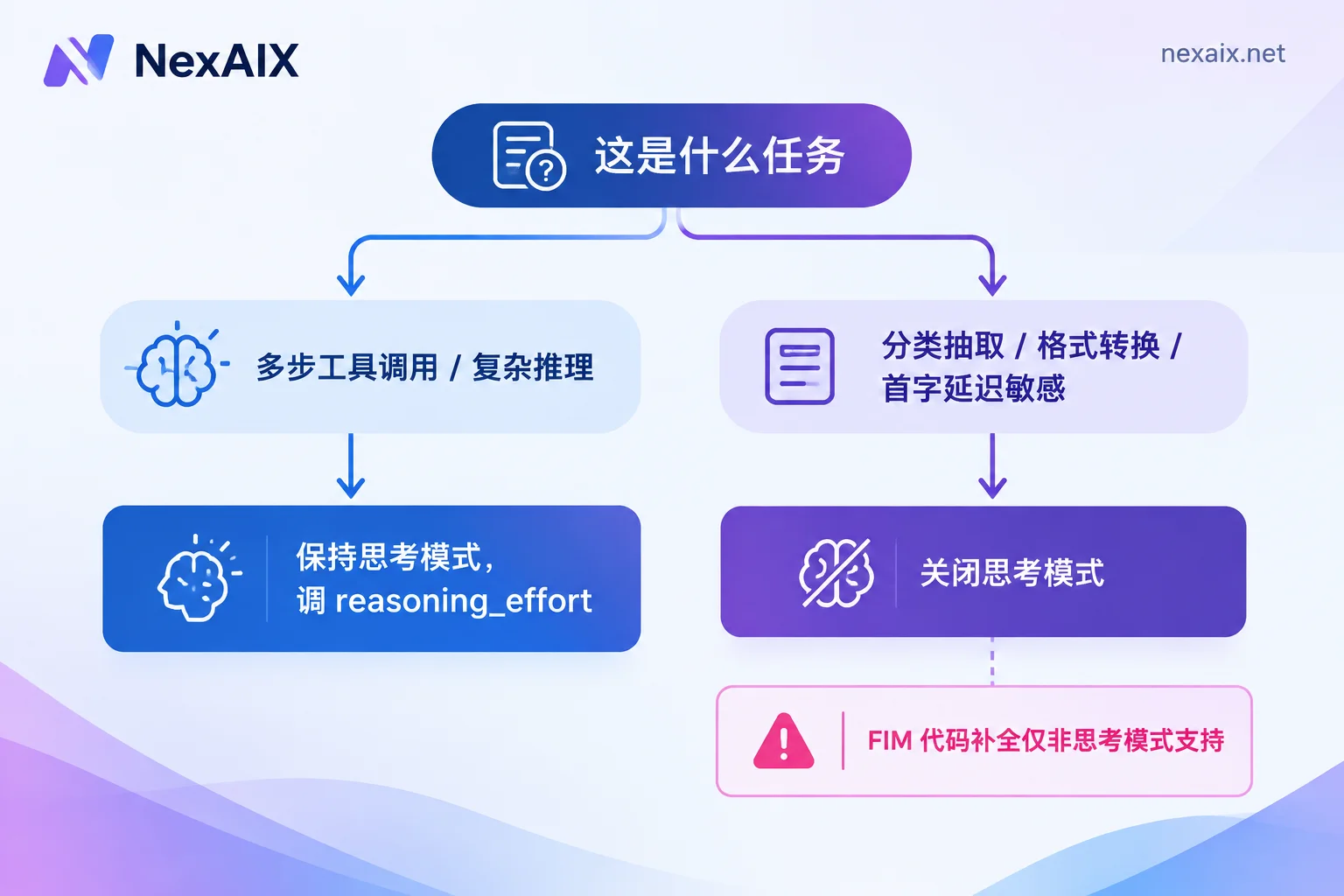
Thinking mode. V4.1-Flash enables Thinking Mode by default, with reasoning depth controlled via reasoning_effort; a non-thinking mode is also supported. The specific available levels depend on official documentation and the model page. Here's a real pitfall: code prefix completion (FIM Completion) is only supported in non-thinking mode. If you're building an IDE completion product and send requests with the default thinking mode, you'll get unexpected results rather than a clear error.
Should Thinking Mode Be On or Off?
There's no one-size-fits-all answer; decide based on task type:
- Multi-step tool calls, agent tasks requiring planning, complex code refactoring: keep thinking mode on, and increase
reasoning_effortif necessary. - Classification, extraction, format conversion, FIM completion, interactive scenarios requiring strict first-token latency: turn thinking mode off. These tasks won't become more accurate with extra reasoning—only slower and more expensive.
- Structured output scenarios: both JSON output and tool calls are supported, but in thinking mode the response structure and token billing include the reasoning portion, so don't estimate costs based only on the final visible output. For validation points in the tool-calling pipeline itself, the article Four Validation Points for Agent APIs covers them thoroughly.
Practical Use of Long Context
1M context doesn't mean you can stuff an entire codebase in. KV cache reduction improves memory and throughput, but first-token latency still grows with input length—the prefill phase must process all input, and that time can't be avoided.
In practice, treat 1M as headroom to avoid writing a bunch of glue code for chunking logic, not as a replacement for retrieval. A complete technical document, the full history of a long conversation, relevant snippets from dozens of files—throwing them in directly is convenient; but if your input regularly exceeds hundreds of thousands of tokens, latency and cost will become ugly, and you should still implement retrieval.
For multimodal input, images use the standard OpenAI message structure. Hard limits like maximum single-image resolution and Base64 size thresholds aren't explicitly stated in official public materials, so it's best to test them yourself before deciding your image preprocessing strategy, rather than applying experience values from other models.
How to Verify the Model Wasn't Swapped After Migration
Unifying model names with automatic alias routing adds an invisible layer of indirection. This kind of routing on the vendor side is an explicit upgrade strategy, but if your requests go through a relay, it's worth verifying yourself. Here are some actionable checks:
- Check the
modelfield in responses. The returned value should point to your expected version identifier, not some smaller model. This is the lowest-cost one-time check. - Test actual context capacity. Construct an input exceeding a common small window (e.g., 128K), bury the answer near the beginning, and see if the model can retrieve it. Typical signs of truncated context are errors on very long inputs or complete loss of the first half of content.
- Test output limits. Request a very long output of a known length, then check the output token count in
finish_reasonandusageto confirm it hasn't been capped at a much lower ceiling. - Pin the model identifier and disable upstream automatic fallback. Alias compatibility and "automatic downgrade to a smaller model when busy" are two different things—the former is a version upgrade, the latter is a downgrade. For how to pin the identifier and determine if there's fallback in the chain, see Request Configuration and Verification for Pinning Models and Disabling Automatic Routing and Verification Methods for Version Identifiers and Routing Fallback.
NexAIX's approach at this layer is not to swap to smaller models, not to reduce precision, and not to truncate context. Quotas and rate limits are public, and verification methods are documented on the Four Commitments page—you can double-check using the steps above instead of just taking written promises at face value. Requests are isolated by API Key, and each Key has independent quotas, permissions, and usage billing, so for team canary verification, simply create a separate Key for the test environment to keep usage separate from production.
Two Final Items Before Launch
Rate limit handling. In high-concurrency agent scenarios, 429 is the norm, not an anomaly. First check if the response headers include retry-after; if so, wait according to it; otherwise use exponential backoff with jitter—don't just retry with a fixed one-second sleep. For the complete handling logic, see From 429 Headers to Backoff Retries and Traffic Isolation.
Alias dependency cleanup. Just because it works now doesn't mean it will work six months from now. Search your code for deepseek-v4-flash and deepseek-v4-flash-vision-exp, consolidate the model name into a single configuration constant, and change it to the current standard identifier. While you're at it, delete the branching logic written for the vision-specific model—vision is now a native capability of the main model, and that branch is just dead weight.
Once you have your Key ready, run the first request, then verify each item on the checklist above. You'll receive test credits upon registration, no enterprise qualifications required—enough to complete both selection and verification steps.