NexAIX-官方博客
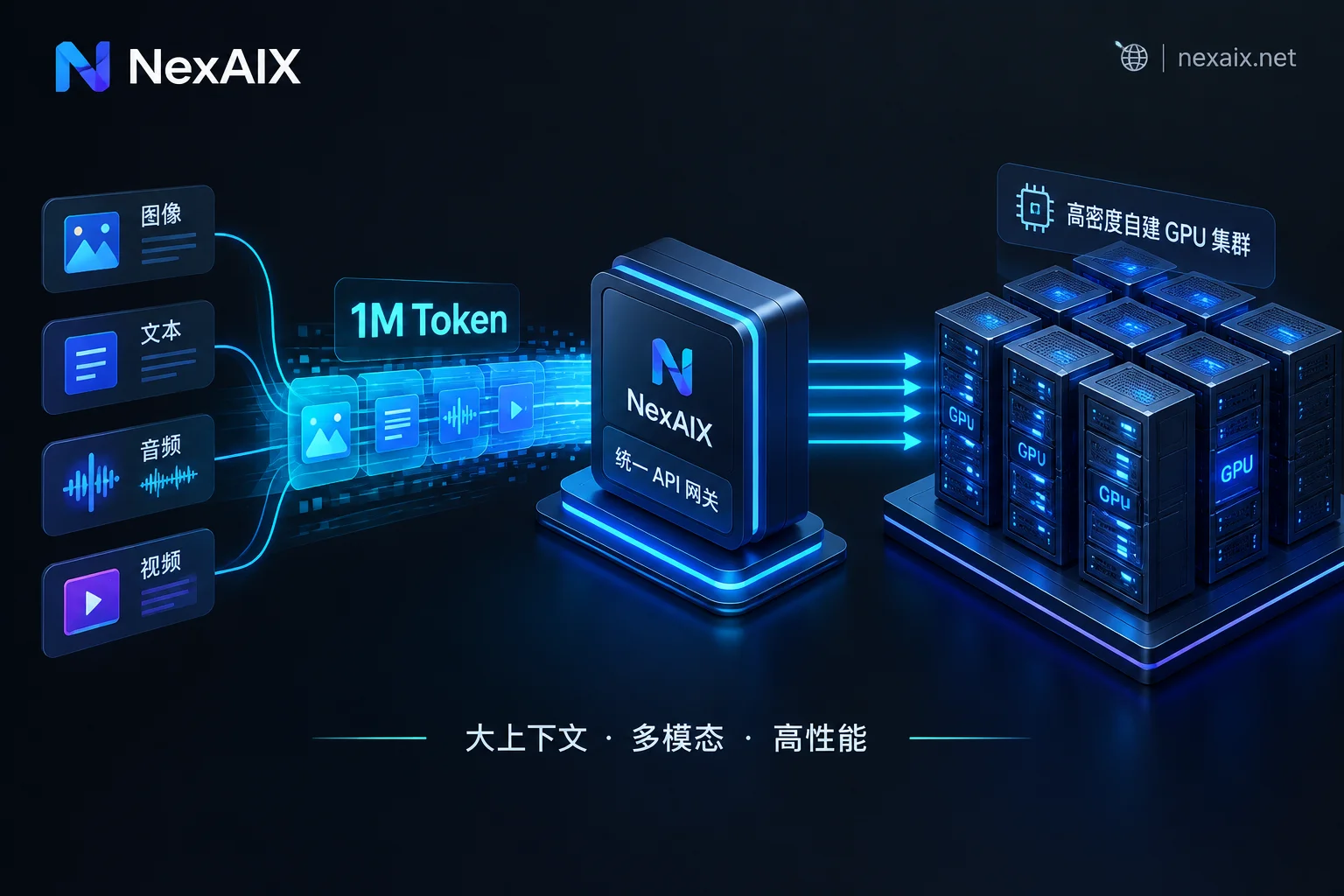
In mid-October 2026, MiniMax released MiniMax M3.1 Flash, focused on high-frequency productivity and coding workflows, and announced that the model's open-source weights would be available; together with the previously open-weighted flagship model MiniMax M3 and the classic long-text foundations MiniMax-M1 and MiniMax-Text-01, the MiniMax series now forms a complete model lineup for million-token (1M) context processing, native multimodal understanding, and agent tool calling.
However, when engineering teams integrate the MiniMax API into existing production environments, they often run into three practical problems:
- How to choose the model lineup and boundaries: M3.1 Flash is fast and low-cost per task, but industry benchmarks show a characteristic of "rarely refusing to answer, and tending to force generation when uncertain"; when should Flash handle high-frequency tasks, and when should teams switch back to M3 or closed-source large models for cross-verification?
- How to unify the interface protocol: the native documentation includes both a dedicated
chatcompletion_v2path and an Anthropic-compatible entry point, while most teams' existing business code, LangChain, or Dify workflows are built on the standard OpenAI Chat Completions specification. - How to guarantee long-text and open-source compute: million-token context and multimodal input impose extremely high requirements on underlying VRAM and bandwidth; if connected through layers of resold cheap third-party channels, it is very easy to encounter implicitly truncated context, swapped quantization precision, or even secretly downgraded models.
This article addresses these three points, outlines the criteria for selecting MiniMax's core models, and demonstrates how to use NexAIX's self-hosted deployment and standard OpenAI-compatible endpoint to complete the full loop from single-model calls to cross-model verification with one key.
1. MiniMax Core Model Selection: M3.1 Flash, M3, and the Long-Text Series Compared
Before changing any configuration, break down the positioning of MiniMax's current mainstream models by business scenario:
| Model Series | Core Positioning | Context and Output Capabilities | Typical Use Cases | Engineering Notes |
|---|---|---|---|---|
| MiniMax M3.1 Flash | Everyday efficient coding and fast agent execution | Up to 1M context, up to 524K output, supports effort thinking-depth adjustment | Repository-level code completion, high-frequency tool calls, structured extraction, multi-step workflow routing | Low refusal rate when encountering knowledge blind spots; serious factual and compliance outputs need retrieval (RAG) or a review model |
| MiniMax M3 | Frontier native multimodal and long-horizon complex reasoning | Up to 1M context (MSA sparse attention architecture), image/video multimodal understanding | 10-hour-level long-horizon coding, complex operator optimization, long-document analysis with many charts | High reasoning depth; first-token latency and compute consumption higher than the Flash series |
| MiniMax-M1 / Text-01 | Hybrid-attention long-text reasoning and basic generation | 1M to 4M-level ultra-long context (Lightning Attention architecture) | Ultra-long log troubleshooting, archival summarization of entire technical manuals, low-complexity long-document batch processing | Early open-weight versions; tool calling and native multimodal alignment weaker than the M3 series |
Practical Selection Advice: Use an "Execute + Verify" Dual-Model Setup to Eliminate Hallucination Weaknesses
According to recent third-party benchmark data, M3.1 Flash approaches top flagship models on coding benchmarks (73.7% on DeepSWE v1.1) and financial tool flows (76.2 on BankerToolBench), with a median generation speed above 170 tokens/s; however, when facing uncertain knowledge, it tends to try to answer every question rather than admit ignorance, resulting in a relatively high share of hallucinations among incorrect responses.
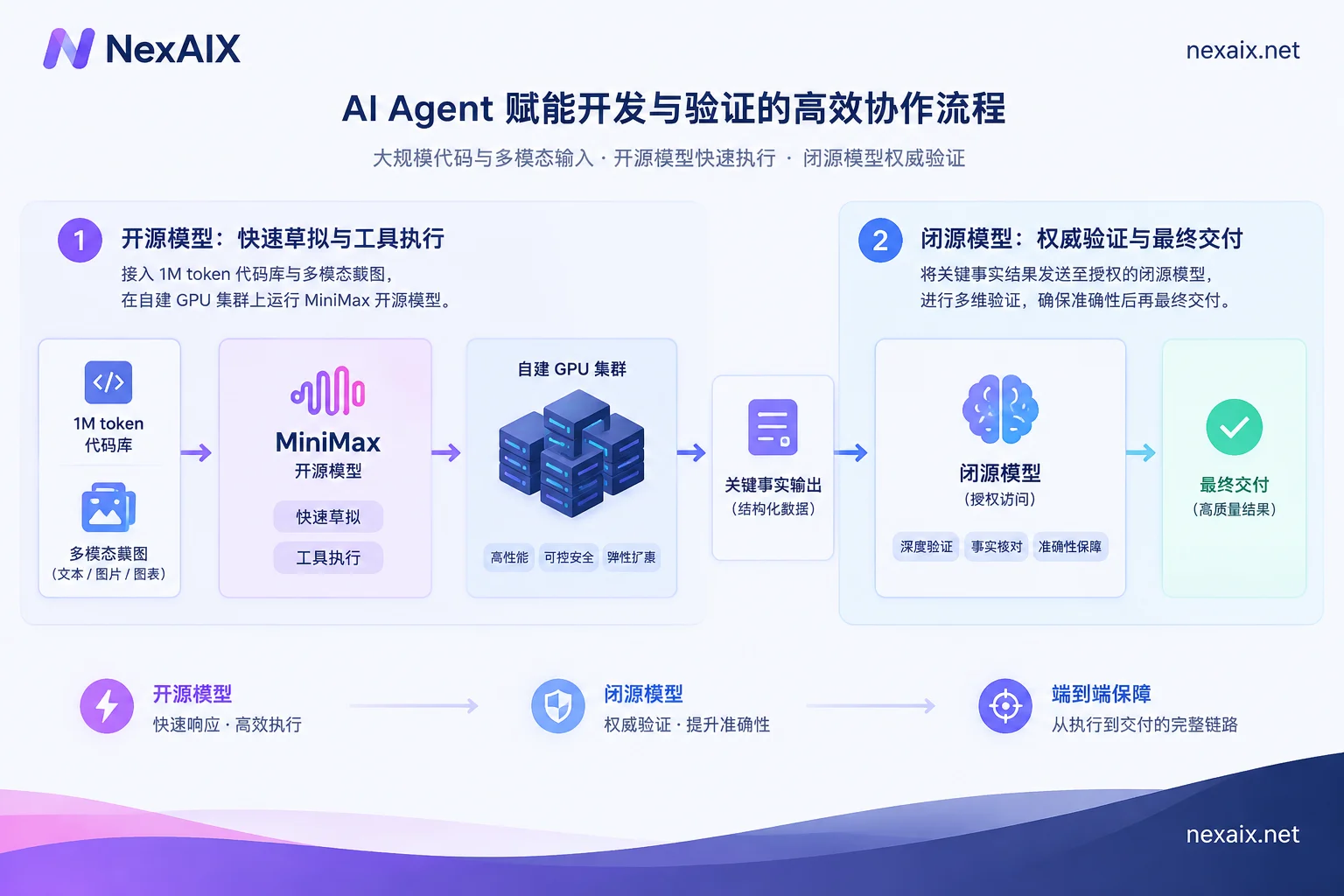
Therefore, in production-grade agent architectures, a more reliable approach is:
- Main pipeline: use MiniMax open-weight models for long-document throughput, log cleaning, code draft generation, and tool-parameter assembly.
- Guardrail and review pipeline: for financial data verification, legal clause citation, or before final delivery, send key summaries to a closed-source model accessed through official authorized channels (such as Claude Opus 5 or GPT-5.6) for secondary verification. If you have previously looked into the division of labor between open-source and closed-source models, see What Is the Difference Between Open-Weight Model APIs and Official Authorized Channels: Precision, Context, Retention, and Rate Limits.
2. Why Choose Self-Hosted Compute Deployment to Call MiniMax Open-Source Models?
As MiniMax M3, M1, and M3.1 Flash gradually open their weights, a large number of relay services offering the MiniMax API have appeared on the market. However, million-context models like MiniMax, with huge parameter counts and reliance on mixture-of-experts (MoE) and sparse attention mechanisms, are extremely sensitive to the VRAM capacity and inter-node communication bandwidth of inference clusters.
If you use opaque "second-hand quota resale" or "account-pool reverse-engineering" channels, you will often hit three hidden pitfalls:
- Implicit context truncation: you clearly sent a 300K-token codebase in the request, but the upstream truncates the window to 32K to save VRAM, causing the model to miss key dependencies without reporting an error.
- Precision shrinkage and downgrading: without notice, inference tasks that originally required high precision are downgraded to aggressive low-bit quantization, causing syntax breakdown in long-horizon code generation (for the practical impact of different precisions, see What Is the Difference Between BF16 and FP8 Model Inference Precision: VRAM, Speed, Quality, and Selection).
- Silent model swapping during peak hours: when upstream rate limits are hit, requests sent to flagship models are secretly routed to lower-spec small models.
On NexAIX, the MiniMax series is supplied as self-hosted compute (open weights):
- Independent operation and maintenance of self-owned clusters: official released open weights are deployed directly on NexAIX's own GPU clusters in self-built and leased data centers, operated in-house, with no resale of third-party quotas (to understand the difference between the two supply models and account-pool reverse engineering, see the Transparent Supply Statement).
- Transparent specification and precision labeling: each model detail page clearly states the supply method, context window, maximum output limit, actual inference precision in operation (such as BF16, FP8, MXFP4, etc., labeled per model), and open-source license.
- Strict no-downgrade commitment: the
modelfield in the response body is the model actually executed; no swapping to smaller models, no precision reduction, no truncation of context or maximum output, no injection of hidden system prompts, and all sampling parameters are passed through as-is (the official website provides a four-step retest method; see No-Downgrade Commitment and Self-Check Methods).
Note: Because MiniMax models iterate quickly, the specific models on sale, model IDs, and real-time specifications are subject to the NexAIX Model Marketplace. When visiting an individual model pagehttps://nexaix.net/models/{slug}/, note that{slug}in the URL requires replacing the dots (.) in the model ID with hyphens (-), while themodelfield in the code request body should still be filled in as labeled on the model page. If your team needs to call an open-source model whose weights have just been released but is not yet listed, you can send the model name and expected usage directly to[email protected]; after evaluating compute capacity, we will reply directly with the schedule.
3. Three-Step Integration: Unify MiniMax API Calls with the Standard OpenAI Protocol
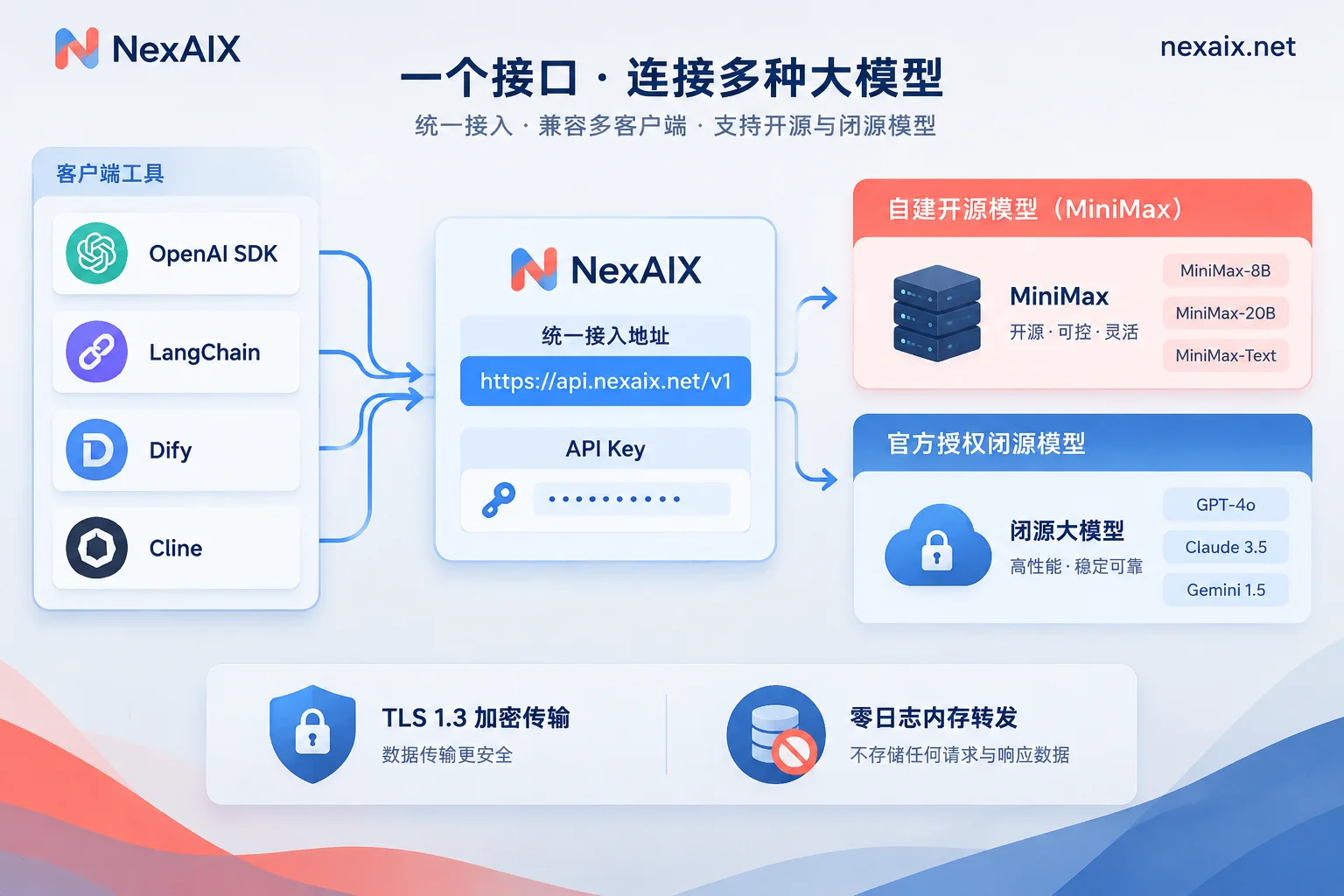
NexAIX fully implements the OpenAI Chat Completions specification. This means you do not need to maintain a separate SDK or special URL path for MiniMax; simply point your existing project's base_url to https://api.nexaix.net/v1 and swap in a NexAIX API Key to call it directly.
1. Obtain an API Key and Test Quota
Go to the NexAIX Console and register with your email (no corporate credentials required); registration includes free test quota. Create an API Key in the console to access all enabled open-weight and closed-source models.
2. Python Standard Integration and Streaming Call Example
The first-token latency (TTFT) of ultra-long context requests naturally increases with input length, so in production environments it is strongly recommended to enable stream=True streaming output. The following code shows how to call a MiniMax model through the official openai Python SDK (replace <minimax_model_id> in the example with the actual model ID shown on the model list page):
import os
from openai import OpenAI

# 仅需修改 base_url 与 api_key,其余代码与标准 OpenAI SDK 完全一致
client = OpenAI(
    base_url="https://api.nexaix.net/v1",
    api_key=os.environ.get("NEXAIX_API_KEY")
)

response = client.chat.completions.create(
    model="<minimax_model_id>",  # 以 https://nexaix.net/models/ 模型页标注的 ID 为准
    messages=[
        {"role": "system", "content": "你是一名资深后端架构师,请基于提供的源码与日志定位并发死锁原因。"},
        {"role": "user", "content": "请分析以下模块依赖与线程转储日志..."}
    ],
    temperature=0.2,
    max_tokens=8192,
    stream=True
)

for chunk in response:
    if chunk.choices and chunk.choices[0].delta.content:
        print(chunk.choices[0].delta.content, end="", flush=True)
If your project uses Node.js, LangChain, Dify, Cherry Studio, or Cline, simply fill in https://api.nexaix.net/v1 in the OpenAI Compatible settings of the corresponding tool (for the supported list, see One-Click Replacement Integration Guide; for specific tool configurations, you can also refer to the site's Dify Integration Guide and Cline Configuration Tutorial).
3. Multimodal Input (Image and Video Frame Sequence) Passing Specification
The MiniMax M3 series has native multimodal understanding capabilities. Under the NexAIX OpenAI-compatible endpoint, multimodal requests are handled according to the input modality support indicated on each model page:
- Image input: in the standard OpenAI multimodal format, pass
image_urlin thecontentarray ofmessages(public URLs or Base64 encoding supported). - Video input: extract keyframes from the video and place them sequentially as multiple image items in the
contentarray; this is very suitable for letting the model debug code against continuous UI screen recordings or sequences of experimental charts.
# 多模态图像/抽帧序列输入示例
messages = [
    {
        "role": "user",
        "content": [
            {"type": "text", "text": "对比这两张连续的操作录屏截图,指出前端状态未更新的原因:"},
            {"type": "image_url", "image_url": {"url": "data:image/jpeg;base64,<FRAME_1_BASE64>"}},
            {"type": "image_url", "image_url": {"url": "data:image/jpeg;base64,<FRAME_2_BASE64>"}}
        ]
    }
]
4. Production Pitfall Avoidance: Long-Context Rate Limits, 429 Backoff, and Data Security
When putting the MiniMax API into high-concurrency or million-context production environments, technical leads also need to handle the following three engineering governance items:
1. Explicitly Handle 429 Status Codes and Application-Layer Cross-Model Switching
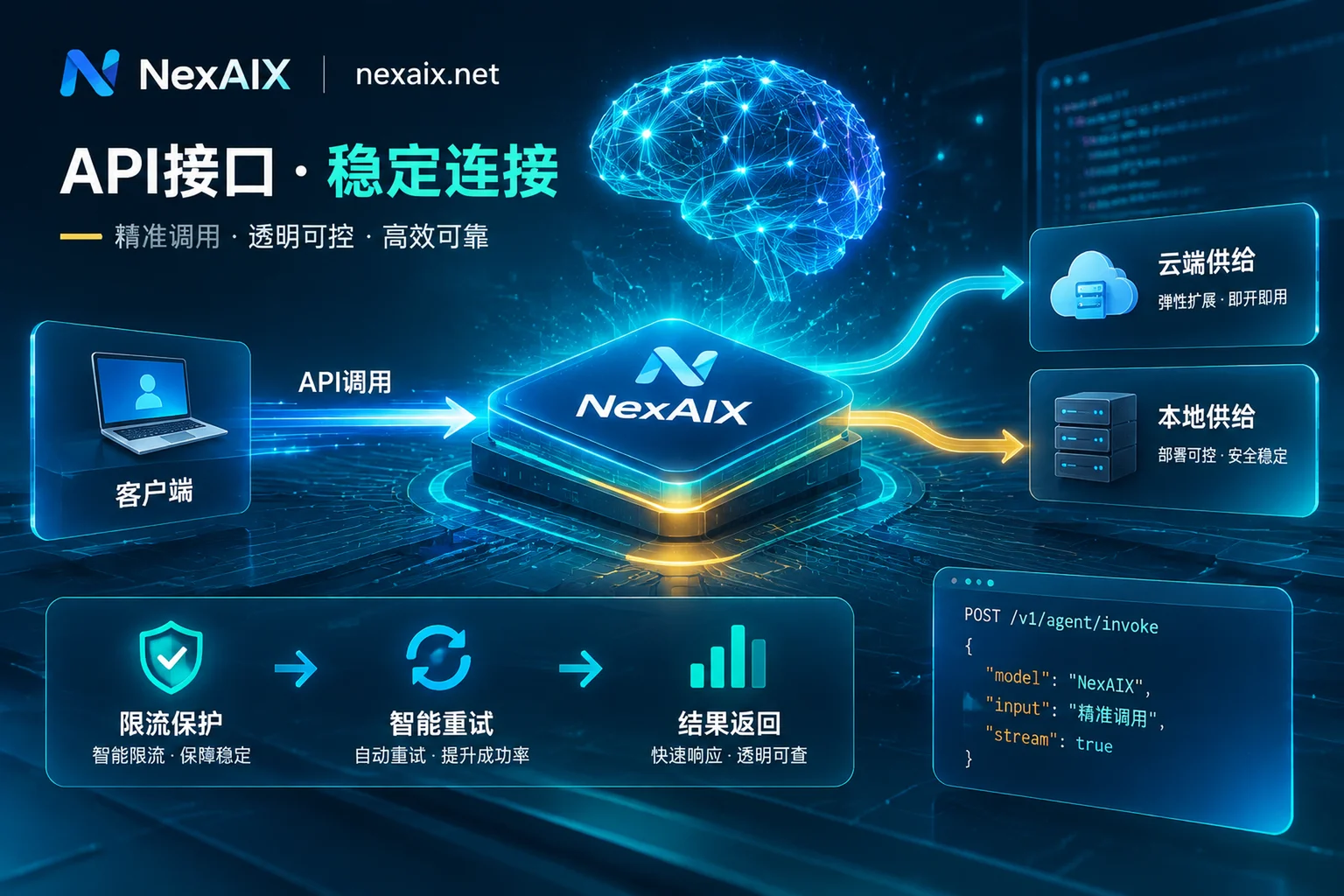
NexAIX adheres to transparent responses from a single endpoint and does not perform hidden automatic routing or failover. When a key hits the RPM/TPM concurrency limit or the cluster is at full capacity, the server immediately returns the standard HTTP 429 status code with the Retry-After response header; it will never hang the connection indefinitely, nor secretly route the request to a cheaper small model in the background (see High Throughput and Rate Limiting Mechanisms).
When writing agent loops, it is recommended to catch 429 and read Retry-After to perform backoff retries; or explicitly switch the model field to a fallback model in your business code (for the complete handling logic of various errors, see How to Read AI API Error Codes: Causes, Retries, and Fallbacks for 400, 401, 404, 429, 5xx, and 529). If your business enters a scaling phase and needs a higher RPM/TPM concurrency quota, you can contact the team directly to request an increase based on actual capacity.
2. Control the Cost and Output Truncation of Ultra-Long Inputs
Although the model supports a context window of up to 1M, ultra-long inputs not only lengthen the first-token response time but also make the token bill for a single request increase linearly with input length. Recommendations:
- In the console, use the per-key isolation mechanism to assign independent API Keys to different microservices or R&D teams. Each key has its own quota, permissions, and itemized usage bills by model; if a key leaks, it can be revoked individually.
- Every call returns a unique request ID (Request ID). When encountering long-text truncation or anomalies, first check
finish_reasonin the response body (for troubleshooting steps, see What to Do When Large Model API Output Is Truncated); if you need platform assistance, contact support with the request ID to locate the issue quickly.
3. Zero-Log Guarantees for Core Code and Business Data
Enterprises using MiniMax for million-token contexts often put entire private code repositories or unpublished financial research reports into prompts. On the NexAIX side, all requests follow a strict zero-log policy:
- In-memory forwarding without disk writes:
promptandcompletionare forwarded only in memory and released when the request ends; nothing is written to disk. - Not used for model training: conversation content is never used for training, nor handed to any third party that does training; the entire path from client to inference node uses TLS 1.3 encrypted transmission, and only the request ID, model name, token count, timestamp, and status code are retained for billing statistics and troubleshooting.
- Closed loop on the open-source self-hosted cluster: because open-weight models such as MiniMax run directly on NexAIX's own compute cluster, data does not leave the self-owned nodes; if you also call closed-source models in a hybrid workflow, closed-source requests are handled according to each vendor's official terms after reaching the upstream vendor.
5. Summary and Next Steps
The launch of MiniMax M3 and M3.1 Flash has significantly lowered the per-call cost of million-context and multimodal coding agents. In practice, calling MiniMax open-weight models through NexAIX's self-hosted compute cluster, combined with closed-source models from official authorized channels for factual verification at key checkpoints, lets you fully capture the throughput cost-effectiveness of open-source flagships while safeguarding the accuracy and data compliance bottom line of production environments.
- View models and specifications on sale now: visit the NexAIX Model Marketplace
- Register and claim free test quota: log in to the NexAIX Console
- Enterprise contracts, invoices, and dedicated resource pool evaluation: if your team has compliance audit, data processing agreement (DPA), or private deployment needs, feel free to email
[email protected]to discuss a solution.