 NexAIX-官方博客
Streaming output itself doesn't require much code: add stream: true to the request body, the response becomes chunked transfer encoding with Content-Type: text/event-stream, each message is a line starting with data: followed by a JSON, the incremental text is in choices[0].delta.content, and it ends when you read data: [DONE].
The things that actually waste an afternoon are four other issues: the parser misses edge cases, streaming doesn't return token usage by default, the reverse proxy buffers the stream into a one-shot output, and the upstream keeps generating after the user closes the page. Let's go through them in that order.
Get a Baseline with curl First
No matter what framework you'll use later, the first step is to fire a request from the command line to confirm the upstream itself outputs chunk by chunk:
curl -N https://api.nexaix.net/v1/chat/completions \
  -H "Authorization: Bearer $API_KEY" \
  -H "Content-Type: application/json" \
  -d '{
    "model": "<你要用的模型名>",
    "stream": true,
    "messages": [{"role": "user", "content": "用三句话介绍一下你自己"}]
  }'
-N turns off curl's own output buffering; without this flag, what you see might be curl deceiving you.
The value of this command comes later: as long as it spits out character by character, any "streaming not streaming" problem is in your own pipeline, and you don't need to suspect the upstream.
Parsing: Four Branches That Are Easy to Miss
When using the official or compatible SDK, the loop body should look like this:
stream = client.chat.completions.create(
    model=MODEL,
    messages=messages,
    stream=True,
)

for chunk in stream:
    if not chunk.choices:      # usage chunk 的 choices 是空数组
        continue
    delta = chunk.choices[0].delta.content
    if delta:                  # 首包只有 role,结束包 content 为 None
        print(delta, end="", flush=True)
Neither check is defensive redundancy: in the chunk with usage, choices is indeed an empty list, and indexing it directly will throw an IndexError; the first packet usually only carries role, tool call increments go through delta.tool_calls rather than content, and the finish packet's content is None.
If you're not using an SDK but writing a gateway or raw HTTP in Go/Java, there are two more things you must handle yourself:
- One network packet does not equal one event. TCP fragmentation can split a single
data:line in the middle. You must maintain a string buffer, split out complete events by\n\nbefore parsing, and leave the remaining half for the next read. This is the most common bug in custom parsers, showing up as occasional JSON parse failures under load while working fine at low concurrency. [DONE]is not JSON. First check if the payload equals[DONE]before passing it tojson.Unmarshal. Also ignore comment lines starting with:(some servers use them for heartbeat keep-alive) and empty lines.
Token Usage: Not Given by Default, Ask Explicitly
In streaming mode, the server does not return total usage by default. To get statistics, add one line to the request body:
{
  "stream": true,
  "stream_options": { "include_usage": true }
}
After enabling this, the last chunk before [DONE] will carry a usage field containing prompt_tokens, completion_tokens, and total_tokens, while that chunk's choices is an empty array—that's exactly where the if not chunk.choices branch above should let through to read usage.
A few practical reminders:
- Don't estimate usage by character count on the client for billing or quota deduction. Token ratios vary greatly across Chinese/English, chain-of-thought, and tool calls. Trust the usage returned by the server.
- If the connection drops mid-way, you won't receive that usage chunk. So your statistics logic needs a fallback: record that the request entered generation state and reconcile with billing later, rather than assuming "no usage received means no consumption."
stream_optionsis a field in the OpenAI-compatible spec, but implementation details may vary across models and backend inference engines. When integrating a new model, first run the curl command above with this parameter to confirm the last chunk actually contains usage, then decide on your statistics approach.
How to Investigate Streaming Turning into One-Shot Full Output
This is the most frequent post-production failure: it works fine in local development, but once deployed to the server, it spins for ten-odd seconds and then the entire text appears at once.
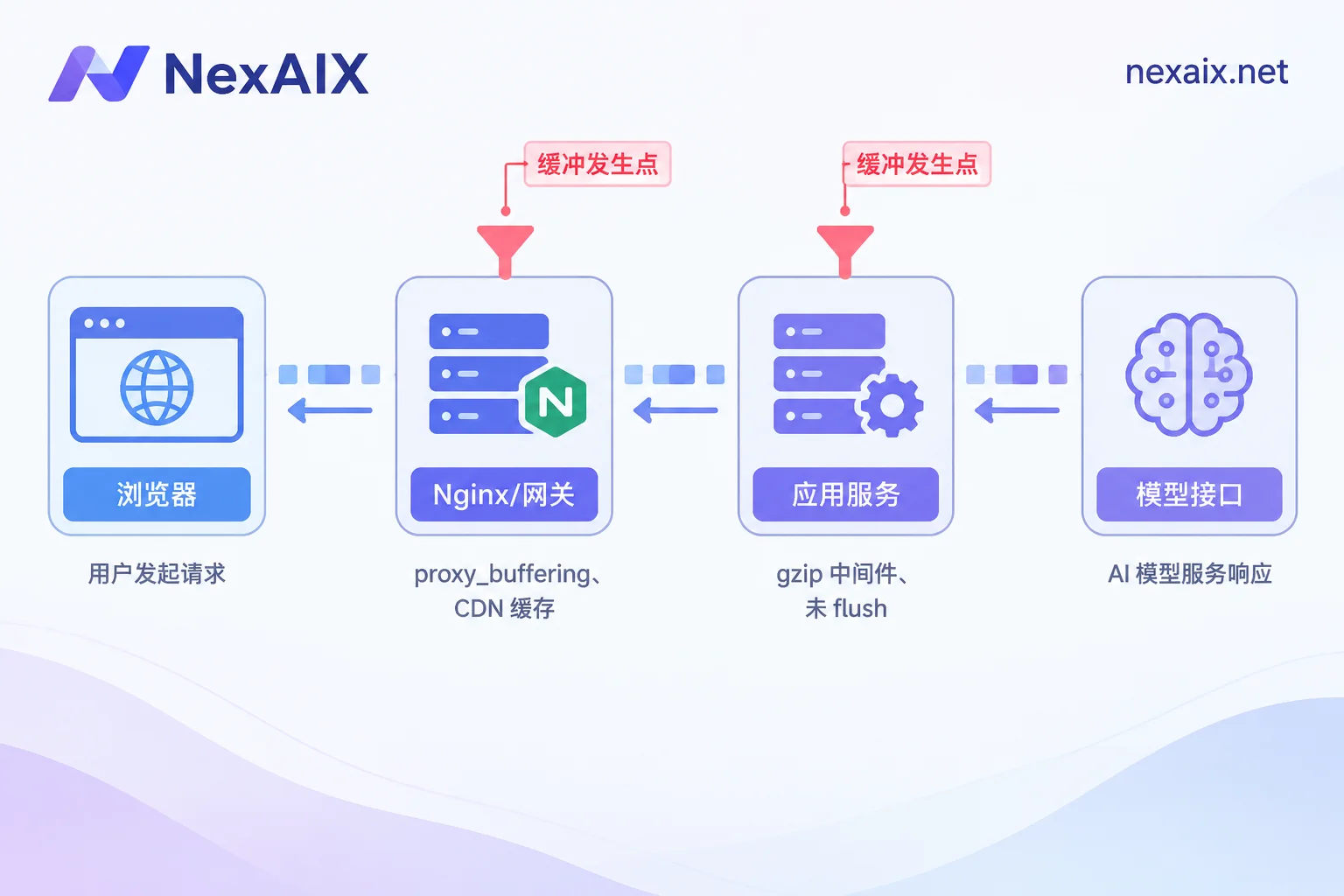
Check in this order, backing out layer by layer:
Step 1: Confirm the upstream is fine. Run curl -N on the server to connect directly to the model API. If it outputs character by character → the problem is in your pipeline, continue below; if not → the problem is upstream or in the egress network.
Step 2: Bypass the reverse proxy and connect directly to the application port. For example, if the app runs on 8080, use curl -N http://127.0.0.1:8080/.... This step cleanly splits the scope:
- Direct connection works, domain doesn't → it's Nginx / gateway / CDN buffering.
- Direct connection also fails → it's an application-layer issue, skip to Step 4.
Step 3: Modify the reverse proxy configuration. Nginx enables response buffering by default, which accumulates a buffer before sending, breaking SSE:
location /api/ {
    proxy_pass http://127.0.0.1:8080;
    proxy_http_version 1.1;
    proxy_set_header Connection '';

    proxy_buffering off;
    proxy_cache off;
    gzip off;

    proxy_read_timeout 600s;   # 长回答容易撞上默认 60s
}
proxy_read_timeout deserves a separate mention: it controls the interval between two reads. Long-form generation, or a model that takes a long time in reasoning before emitting the first token, can exceed the default, resulting in the connection being cut mid-stream and the frontend receiving an incomplete answer. Increase it, or have the server periodically send heartbeat comment lines.
If you can't modify nginx.conf (shared gateway, managed platform, or a CDN in front), the next best option is to have the application add X-Accel-Buffering: no to the response headers; Nginx and many gateways will disable buffering for that single response. The advantage is it doesn't affect other endpoints.
Step 4: Check the application's own buffering. Common culprits: global gzip compression middleware (compression needs to accumulate data), framework response buffering without flush, and some serverless runtimes that don't support streaming responses. When writing the response, make sure each chunk calls flush.
There's also a "fake buffering" type worth distinguishing: first-token latency (TTFT) is inherently long. The way to tell is by the time distribution—if the first chunk takes 8 seconds but subsequent chunks are only tens of milliseconds apart, that's not buffering; it's queuing or slow prefill due to a long prompt, and changing Nginx won't help. If the first chunk takes 8 seconds and then everything arrives at once, that's buffering.
Browser Side: Why You Can't Use EventSource
The browser's native EventSource only supports GET and cannot set custom request headers, so you can't include Authorization, nor put messages into a POST body. Chat APIs are POST /v1/chat/completions, so the frontend typically uses fetch with ReadableStream for manual parsing, or libraries like @microsoft/fetch-event-source to skip parsing code.
A skeleton of the hand-written version:
const controller = new AbortController();
const res = await fetch("/api/chat", {
  method: "POST",
  headers: { "Content-Type": "application/json" },
  body: JSON.stringify({ messages }),
  signal: controller.signal,
});

const reader = res.body.getReader();
const decoder = new TextDecoder();
let buf = "";

while (true) {
  const { done, value } = await reader.read();
  if (done) break;
  buf += decoder.decode(value, { stream: true });

  let idx;
  while ((idx = buf.indexOf("\n\n")) !== -1) {
    const raw = buf.slice(0, idx);
    buf = buf.slice(idx + 2);
    for (const line of raw.split("\n")) {
      if (!line.startsWith("data:")) continue;
      const payload = line.slice(5).trim();
      if (payload === "[DONE]") return;
      const delta = JSON.parse(payload).choices?.[0]?.delta?.content;
      if (delta) appendToUI(delta);
    }
  }
}
Note that the fetch target here is /api/chat, i.e., your own backend, not the model API. Putting the API Key in frontend code or frontend request headers is equivalent to public disclosure; streaming scenarios are no exception, and the backend must forward the request.
Disconnect, Abort, and Error Termination
Long connections drop, and users actively click "Stop." Both cases require propagating the abort signal all the way to the upstream; otherwise the model keeps generating, occupying concurrency quota for nothing.
A typical Node backend implementation:
app.post("/api/chat", async (req, res) => {
  const controller = new AbortController();
  req.on("close", () => controller.abort());   // 客户端断开 → 中止上游

  res.setHeader("Content-Type", "text/event-stream");
  res.setHeader("Cache-Control", "no-cache");
  res.setHeader("X-Accel-Buffering", "no");
  res.flushHeaders();

  const stream = await client.chat.completions.create(
    {
      model: MODEL,
      messages: req.body.messages,
      stream: true,
      stream_options: { include_usage: true },
    },
    { signal: controller.signal }
  );

  for await (const chunk of stream) {
    if (chunk.usage) recordUsage(chunk.usage);
    const delta = chunk.choices?.[0]?.delta?.content;
    if (delta) res.write(`data: ${JSON.stringify({ delta })}\n\n`);
  }
  res.write("data: [DONE]\n\n");
  res.end();
});
Three more edge cases to handle:
Determine "normal completion" by whether you received [DONE] (or the SDK's completion signal), not just by whether an exception was thrown. When streaming errors mid-generation, it could be an inline error event, or the connection simply drops and the loop exits naturally—the latter looks exactly like normal completion in code. Record "received termination sentinel" as an explicit flag; any answer without this flag should be treated as incomplete.
Partial content already emitted must be persisted and marked incomplete. The user saw half an answer; after refreshing, it shouldn't vanish, nor be fed into the next context as a complete answer.
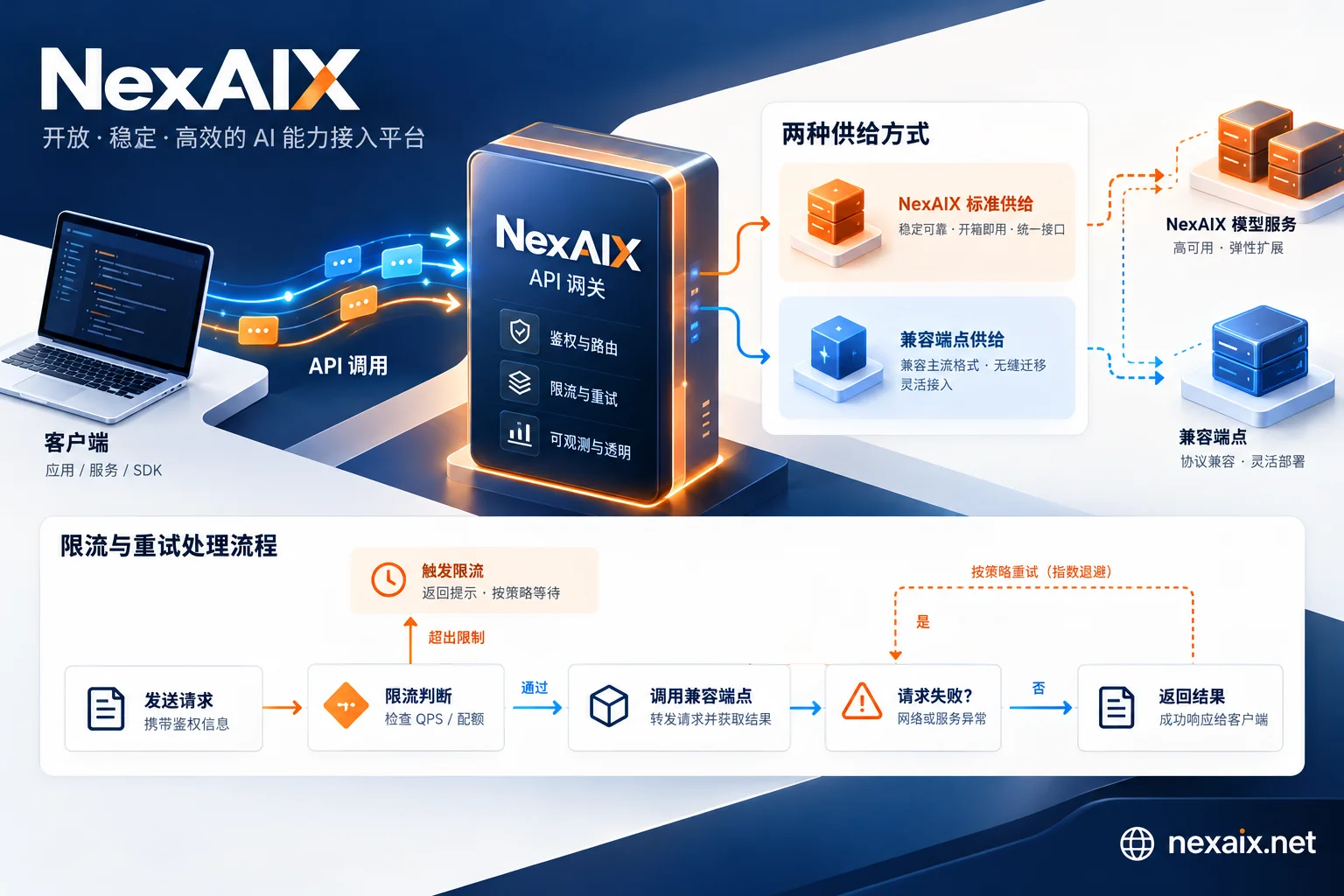
Streaming retries differ from regular requests. Replaying after partial output means the user sees the content restart. The usual dividing line: auto-retry only when no token has been received; once output exists, let the user decide whether to regenerate or accept truncation. For which error codes to retry and backoff timing, see this article on retry design; if the disconnect is accompanied by a 429, first check the response headers following the rate limiting approach before deciding how long to wait.
Two Things to Confirm When Switching Models
Once this streaming code is written, it's highly reusable: switching between OpenAI-compatible endpoints basically only requires changing base_url and the model name; the parsing logic stays the same. NexAIX's endpoint is https://api.nexaix.net/v1; that's the line to change when integrating with existing code.
But when choosing a model, two things directly affect streaming behavior and are worth confirming before load testing:
First, the model's supply method. Open-weight models deployed on self-owned compute clusters and closed-source models through vendor-authorized channels have different first-token latency characteristics and API behavior details. The model page indicates which type each model belongs to; take a look before choosing: Model list and supply methods.
Second, quota and rate limits. Streaming requests hold connections much longer than non-streaming, so when estimating concurrency, the limit you hit first is often concurrent connections rather than token throughput. Quotas and rate limits are public and isolated per key—in practice, it's recommended to open a separate key for streaming load tests so a crash doesn't affect the production key.
Registration includes test credits; getting the curl -N from the beginning of this article working and confirming usage in the last chunk, then deciding whether to integrate further, is faster than reading docs.
Pre-Launch Checklist
- Parser covers four cases: empty
choices,contentbeingNone,[DONE]not JSON, and events spanning packets stream_options.include_usageis enabled, and you've verified this model returns usage- Reverse proxy has buffering, cache, and gzip disabled, and
proxy_read_timeoutexceeds the longest answer time - Client disconnect triggers upstream abort, with abort records visible in logs
- Answers that don't receive
[DONE]are marked incomplete and not reused as complete results - API Key exists only on the server side


Comments(0)