 NexAIX-官方博客
If you already have a codebase running on the OpenAI SDK, integrating Qwen3.6 requires changing only three things: base_url, api_key, model. What really needs careful thought are the two things before that—which tier of Qwen3.6 this task should use, and whether to enable thinking mode. Let's go through them in that order.
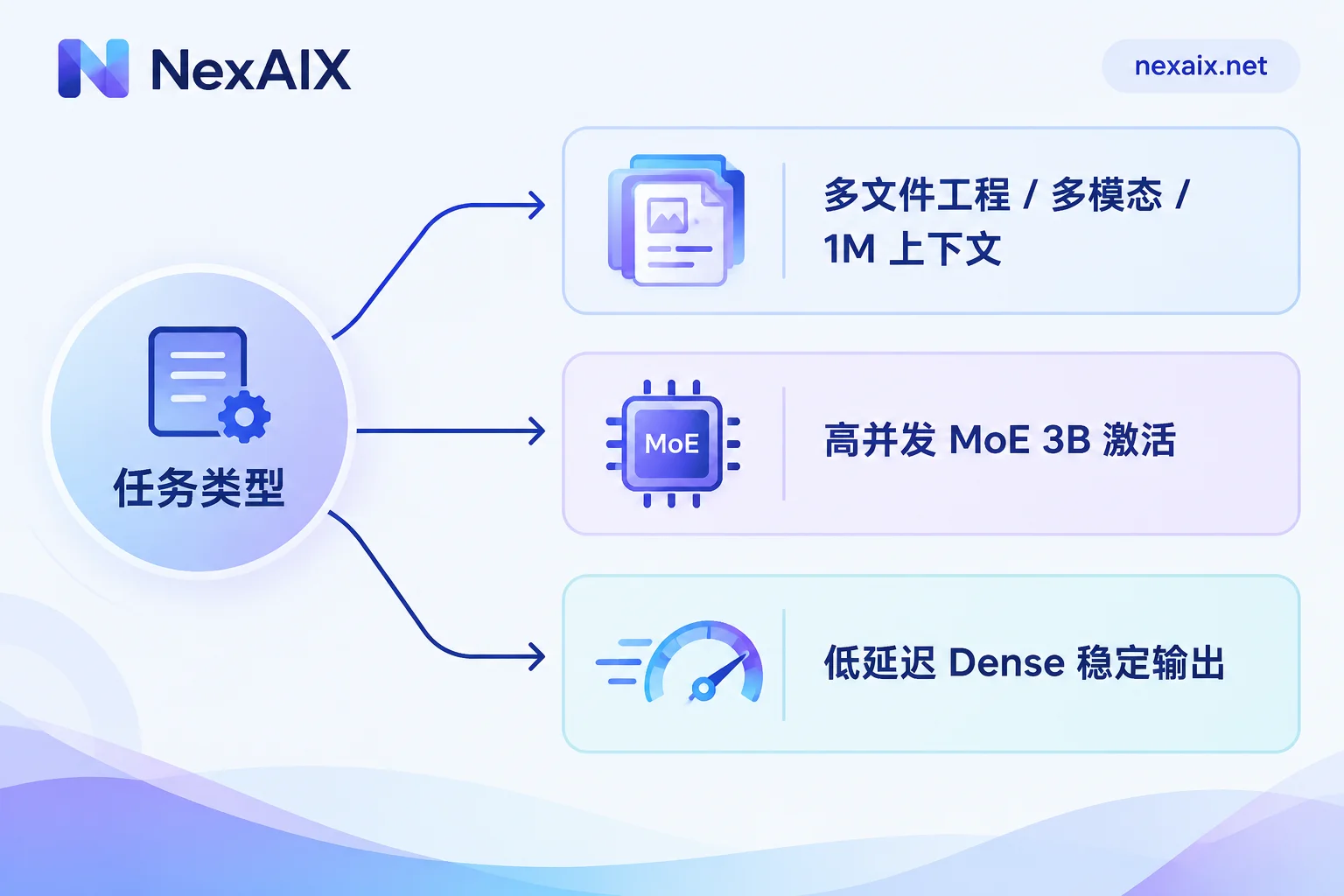
Three models for three task types
Qwen3.6 is the generation of Tongyi Qianwen models released in April 2026. The focus of this generation is agentic coding, tool calling, frontend generation, and preserving multi-turn reasoning chains—not a minor improvement in general chat experience. The series splits into two lines:
Qwen3.6-Plus: The officially hosted closed-source flagship, with a default 1M token context. Its upgrade direction is clear—end-to-end autonomous bug fixing, understanding a project across multiple files, terminal automation, with an SWE-bench Verified score of 78.8, plus image and video understanding. If your task is "throw the repo at it and let it locate the problem, fix the code, and run verification," or you're using it as the main model inside agent shells like Claude Code or OpenClaw, go with Plus. Multimodal input is also only available in this tier.
Qwen3.6-35B-A3B: MoE architecture, 35B total parameters, activating only 3B per token. This is the balance point between throughput and quality—for high-concurrency online Q&A, batch text processing, and moderately complex Agent subtasks, it's far more cost-effective than Plus and has more predictable latency.
Qwen3.6-27B: Dense architecture. It's better suited for scenarios requiring high output stability and sensitive to single-request latency, such as structured extraction and fixed-format content generation.
Both open-source versions are built on a Gated DeltaNet hybrid backbone, Apache 2.0 licensed, natively supporting 262,144 (256K) tokens of context, extendable to 1M. In other words, unless you really need to stuff nearly a million tokens at once or need multimodality, 256K is enough for the vast majority of long-document tasks—there's no need to default to Plus.
The supply model layer is worth a quick look: open-weight models and closed-source flagships come from different sources by nature. Plus can only go through the vendor's official authorized channels, while open-weight models like 35B-A3B and 27B can be deployed by service providers on their own compute clusters. At NexAIX, each model page indicates which type it belongs to, and the currently available model IDs and rate limits are listed there too. Before integrating, check the model list to confirm the currently available names—don't hardcode strings from a blog post.
Integration: change only base_url
The entire Qwen3.6 family uses an OpenAI-compatible /v1/chat/completions, so your existing openai-python, Vercel AI SDK, LangChain, and LlamaIndex don't need a new client.
from openai import OpenAI

client = OpenAI(
    api_key="你的 Key",
    base_url="https://api.nexaix.net/v1",
)

resp = client.chat.completions.create(
    model="以模型页标注的 ID 为准",
    messages=[{"role": "user", "content": "分析这段日志的异常原因"}],
    stream=True,
)
The most common pitfall when migrating from other services isn't the endpoint—it's leaving the old model name in your config file or environment variables without updating it, resulting in a model not found error while you're busy troubleshooting the network. During migration, consolidate the model name into a single constant; don't scatter it everywhere.
Thinking mode: on by default—you'll probably need to turn it off
Qwen3.6 has thinking mode enabled by default. This means the same prompt will have noticeably higher first-token latency and total token consumption than you expected before migrating. For tasks like real-time conversation, intent classification, and short copywriting, the impact is obvious.
There are two ways to turn it off, depending on which one your server supports:
# 写法一:模板参数
resp = client.chat.completions.create(
    model="...",
    messages=messages,
    extra_body={"chat_template_kwargs": {"enable_thinking": False}},
)

# 写法二:推理力度档位
resp = client.chat.completions.create(
    model="...",
    messages=messages,
    extra_body={"reasoning_effort": "none"},
)
Try method two first; if it doesn't work, use method one. Don't pass both at the same time. To verify it's actually off, don't look at latency—look at whether the reasoning_content field is still present in the response, and whether the output token count in usage has dropped back to normal levels.
When to keep thinking mode: multi-step reasoning, code debugging, Agent tasks that require the model to plan tool calling order on its own. When to turn it off: classification and tagging, format conversion, summary rewriting of retrieval results, and any interaction where the user is waiting to see the first character.
How to parse reasoning_content
When thinking mode is enabled, the streaming response separates the reasoning process from the final answer: reasoning goes through delta.reasoning_content, and the answer goes through delta.content.
for chunk in resp:
    d = chunk.choices[0].delta
    rc = getattr(d, "reasoning_content", None)
    if rc:
        pass  # 折叠区展示,或直接丢弃
    if d.content:
        print(d.content, end="")
Two common issues. First, older streaming parsing code only extracts delta.content, so nothing is received during the thinking phase for several seconds, and the frontend looks frozen—either display a "thinking" status when reasoning_content arrives, or simply turn off thinking mode. Second, feeding reasoning_content back as regular content in the next round's messages—the context window fills up quickly and quality drifts.
For troubleshooting disconnections and proxy buffering in streaming pipelines, refer to the troubleshooting sequence in How to Integrate Streaming Output APIs.
Thinking preservation and tool calling
This Qwen3.6 generation introduces Thinking Preservation: it retains the reasoning chain context from previous turns in multi-turn conversations and long autonomous agent pipelines, avoiding re-deriving from scratch each round. This makes complex tasks and tool-calling execution more stable.
In code, the key is: when assembling history, don't casually erase the model's previous reasoning traces or blindly stuff them all back. Instead, pass back exactly what should be passed back according to the field structure specified in the server documentation. If you've written your own message normalization layer (common in projects migrated from other providers), check whether it silently drops non-standard fields.
Tool calling follows the standard tools + JSON Schema, and tool_choice semantics match OpenAI. In streaming mode, the arguments in tool_calls arrive in fragments; you need to accumulate and concatenate them according to index before parsing the JSON. For a more complete verification checklist for Agent scenarios, see How to Integrate Agent APIs.
Long context and downgrades: how to test it yourself
Context numbers on paper are one thing; whether they actually work is another. Run three checks before going live:
1. Measure effective context. Construct a long document close to your actual usage (say 200K tokens), plant a verifiable fact at the beginning, middle, and end, then ask about each separately. If it can answer questions about the beginning and end but not the middle, the effective window is smaller than advertised, or the middle was truncated.
2. Watch usage and the returned model field. Log usage.prompt_tokens, completion_tokens, and the model in the response for every request. If the input token count is significantly smaller than what you sent, it was truncated; if the model field doesn't match what you requested, a substitution occurred.
3. Fixed regression set. Pick 20 to 30 tasks with known answers, set temperature to 0, and run a comparison periodically. When the pass rate suddenly drops, first check whether you changed prompts or parameters on your side, then suspect upstream.
These three things need to be done yourself because operations like "switching to a smaller model," "reducing precision," and "shortening context" are usually silent at the API level—only behavior reveals them. NexAIX has publicly committed to no downgrades and transparent quota and rate limits, and the verification method is listed on that same page. You can run through it before deciding whether to switch production traffic over.
Two more things to handle before going live
Rate limits. The rate ceilings for open-source versions and closed-source flagships are usually not on the same order of magnitude. Once Agent tasks run in parallel, the probability of hitting a 429 is much higher than with regular chat. For backoff strategies and which errors to retry, How to Handle AI API Rate Limiting has implementations you can copy directly.
Key isolation. Use different keys for development/debugging, production services, and batch tasks, and track quotas and usage separately. When something goes wrong, you can see at a glance which pipeline ate up the quota—faster than digging through logs after the fact.
Start with test credits, run the three checks above, and then decide which tier to use—far more reliable than guessing from a parameter table.




Comments(0)