 NexAIX-官方博客
The core of AI API cost optimization isn't switching to cheaper models, but first breaking down the bill: the price per request = Cache Miss input tokens × unit price + Cache Hit input tokens × unit price + output tokens × unit price. Looking at the three-tier pricing published by DeepSeek-V4-Flash-0731 during its public beta on July 31, 2026, the input price for Cache Hit and Miss differs by about 50 times. This means whether a prompt hits the cache or is fully recomputed has a much greater impact on monthly bills than model tier differences. Therefore, the correct order for AI API cost optimization is to first improve cache hit rates and control output length, then consider switching models.
Break Down the Bill: Which Three Token Segments Is Each Request Paying For?
Most billing misunderstandings come from estimating costs by multiplying total tokens by an average price, but actual billing is done separately for three segments. Taking DeepSeek-V4-Flash-0731 official pricing as an example (observed on 2026-07-31, actual pricing subject to official pricing page):
| Billing Segment | Unit Price (USD per million tokens) | Description |
|---|---|---|
| Cache Miss Input | $0.14 | Input tokens that miss the cache |
| Cache Hit Input | $0.0028 | Input tokens that hit the cache, about 2% of Miss price |
| Output tokens | $0.28 | Tokens generated by the model, unit price much higher than hit input |
Source: DeepSeek API Docs — Change Log and Models & Pricing (official documentation), observed 2026-07-31; third-party aggregate figures may be checked separately, but the official pricing page is the final basis.
When a request returns, the SDK provides prompt_tokens, prompt_tokens_details (including cached_tokens), and completion_tokens in the usage field. The correct cost formula is: cost = (prompt_tokens - cached_tokens) × Miss unit price + cached_tokens × Hit unit price + completion_tokens × output unit price.
The easy mistake here is ignoring the existence of cached_tokens and billing all input at Miss price, or mixing output and input together and estimating with an average price. Pull these three numbers from the logs to see where the money is going.
The Price Gap Between Cache Hit and Cache Miss: A Magnitude Calculation with Public Prices
For the same 1 million input tokens, at $0.14 and $0.0028, the input cost varies completely at different hit rates (example calculation, not a measured promise):
| Cache Hit Rate | Input Cost (USD) | Savings vs. 0% Hit Rate |
|---|---|---|
| 0% | $140 | Baseline |
| 50% | $70 + $1.4 = $71.4 | ~49% |
| 90% | $14 + $2.52 = $16.52 | ~88% |
Improving the hit rate from 0% to 90% reduces input costs by nearly nine times. This is why prompt structure design is more critical than switching models in AI API cost optimization: with the same model, you can reduce input costs by an order of magnitude by increasing the hit rate.
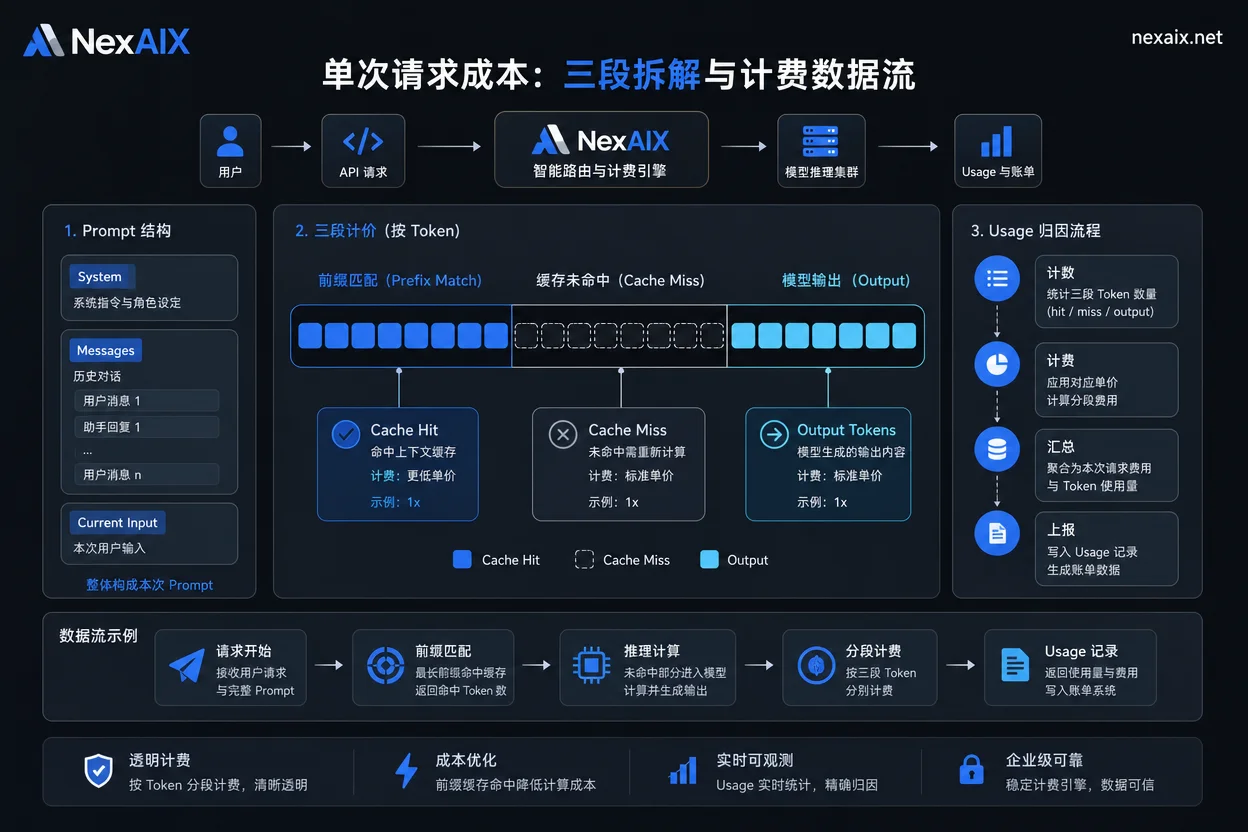
Figure 1: Breakdown of single request cost and billing data flow. The billing field is based on usage's prompt_tokens, cached_tokens, and completion_tokens; unit prices are as of 2026-07-31 public prices.
Why Prompt Structure Determines Hit Rate: Three Rules of Fixed Prefix, Variable Suffix, and Multi-Turn Concatenation
Prompt Cache is based on strict prefix matching: only if the beginning of the prompt matches a previous request exactly can it hit the cache. Putting dynamic data at the beginning will cause the entire segment to miss.
| Behavior That Breaks Cache | Consequence | Fix |
|---|---|---|
| Injecting timestamps, random IDs, User IDs at the beginning of the prompt | Prefix mismatch, entire segment Cache Miss | Put fixed system prompt, tool schemas first, dynamic values at the end |
| Multi-turn conversations concatenating history at the beginning | Prefix changes every turn, very low hit rate | Fix the order of the last N turns, use summaries or additional cache blocks for history |
| Frequent modifications to tool schemas | Prefix changes causing cache invalidation | Freeze schema versions as much as possible, evaluate cost impact when changes are needed |
Among these three, the most easily overlooked is variable placement. For example, in a RAG scenario, inserting retrieval snippets before the system prompt pollutes the prefix each time, and the cache never hits. The right approach is to keep the fixed system prompt at the front and put retrieval content later.
Output Tokens Are the Hidden Big Expense: Cost Control with max_tokens, Stop Conditions, and Streaming Truncation
The output unit price of $0.28/M is 100 times the hit input price of $0.0028/M. So AI API cost optimization cannot only focus on input; controlling output length is also crucial.
| Control Method | Effect | Applicable Scenario |
|---|---|---|
| Set max_tokens limit | Prevent infinite generation | All calls |
| Explicit stop conditions | Terminate early | Long text generation, code completion |
| Require structured output | Reduce unnecessary explanations | Data extraction, classification |
| Early stop in streaming | Truncate when expected result is reached | Real-time conversation |
In practice, start by statistically analyzing the average output tokens in logs, find calls that are verbose and lack real value, and use prompt constraints or max_tokens to reduce them. Output-side control often yields faster results than compressing input.
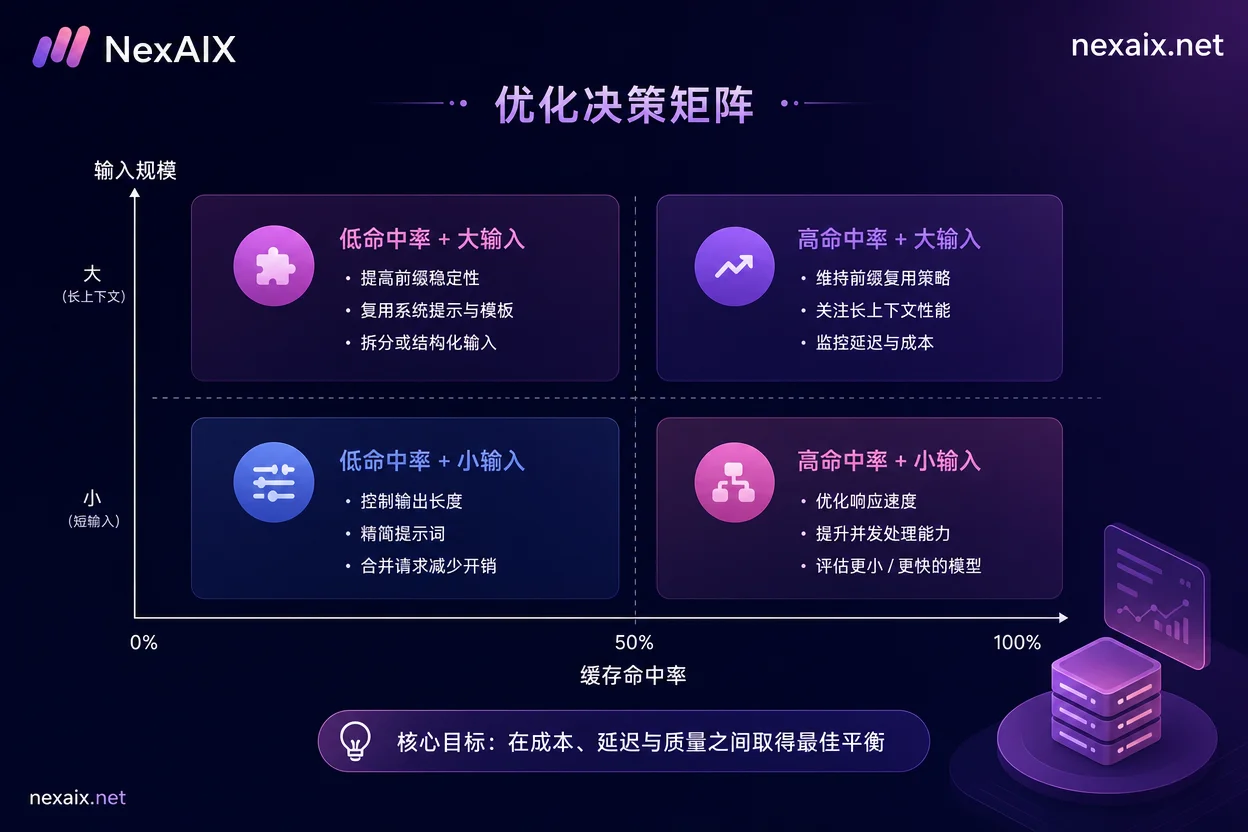
Figure 2: Hit rate and input scale decision matrix. Quadrant actions are methodological suggestions, not measured cost reduction conclusions.
Long Context Doesn't Mean Fill It Up: Context Budget Capping Strategy Under a 1M Window
The 1M context window can hold far more content than budget allows—long context calls are expensive, usually not because the window is insufficient, but because each call has no input limit. The key is not treating window capacity as the default filling target, but setting a hard input cap for each call.
| Strategy | Approach |
|---|---|
| Set hard input token cap | e.g., max_input_tokens=200K, truncate or chunk if exceeded |
| Truncate based on retrieval score | Use reranking to select only the top K chunks, not everything |
| Distinguish fixed knowledge and dynamic retrieval | Put fixed knowledge in cache zone, dynamic content later |
| Summarize and compress long sessions | Periodically compress conversation history into a summary before continuing |
The judgment method is simple: if a prompt's input tokens exceed expectations, first check if all the information is truly needed. Use a context budget table to record each call's input budget, actual usage, and hit rate to identify calls that are wasting money.
Batch and Real-Time Pipelines Should Be Calculated Separately: Different SLAs Correspond to Different Cost Tolerance
Real-time conversational pipelines are sensitive to latency; to maintain experience, some hit rate may be sacrificed. Offline batch processing can wait longer and use more aggressive compression and smaller models.
Real-time pipelines should prioritize fixed prefixes to benefit from cache, and set hard caps on output length; acceptable latency is usually in seconds. Batch pipelines allow queuing and waiting, can compress context aggressively, and even use cheaper models; acceptable latency can be minutes or longer.
In implementation, tag each request (e.g., link=realtime or link=batch) and attribute costs by tag on the billing side to see which pipeline is burning money.
Cost Delta Estimation Before Migration: Run Comparisons with the Same Eval Set, Not Just Look at Prices
Listed prices are not the same as bills. Different models have different tokenizers, which means the same text may produce different token counts, and cache mechanisms also differ. Simply applying listed prices can lead to large deviations.
The correct approach is to use the same eval set and the same prompts on both models, collect the three-stage token counts and request counts, and then convert them at each model's unit price. Note model identifiers: as of July 24, 2026, the old aliases deepseek-chat and deepseek-reasoner have been completely decommissioned; you must explicitly declare deepseek-v4-flash or deepseek-v4-pro, and verify the actual executing model in the response's model field to prevent cost distortion. For how to check the model field when switching models, refer to OpenAI-compatible API model migration path. Additionally, be wary of silent downgrades by gateways causing cost distortion; refer to Silent downgrade detection in multi-model API gateways for troubleshooting.
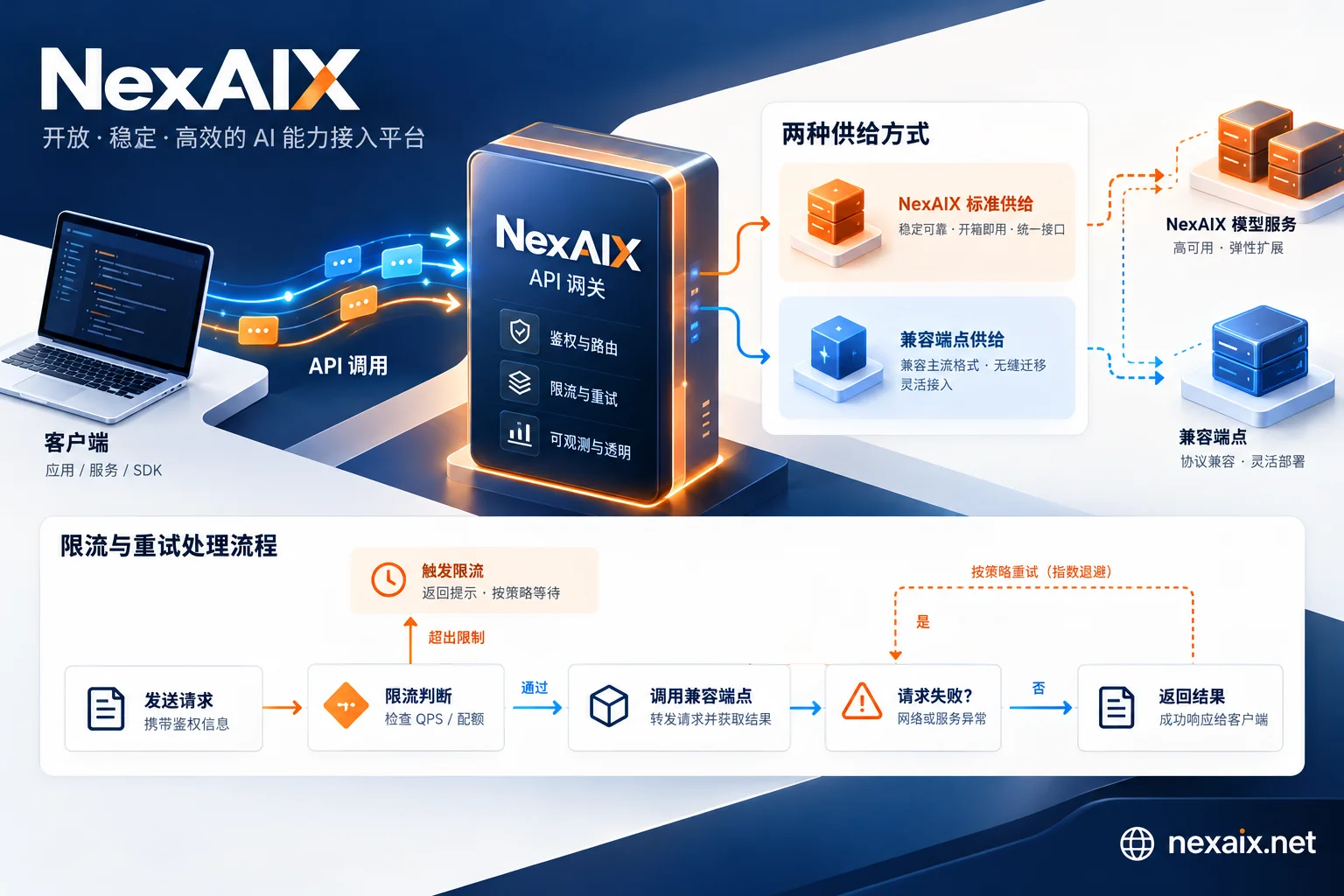
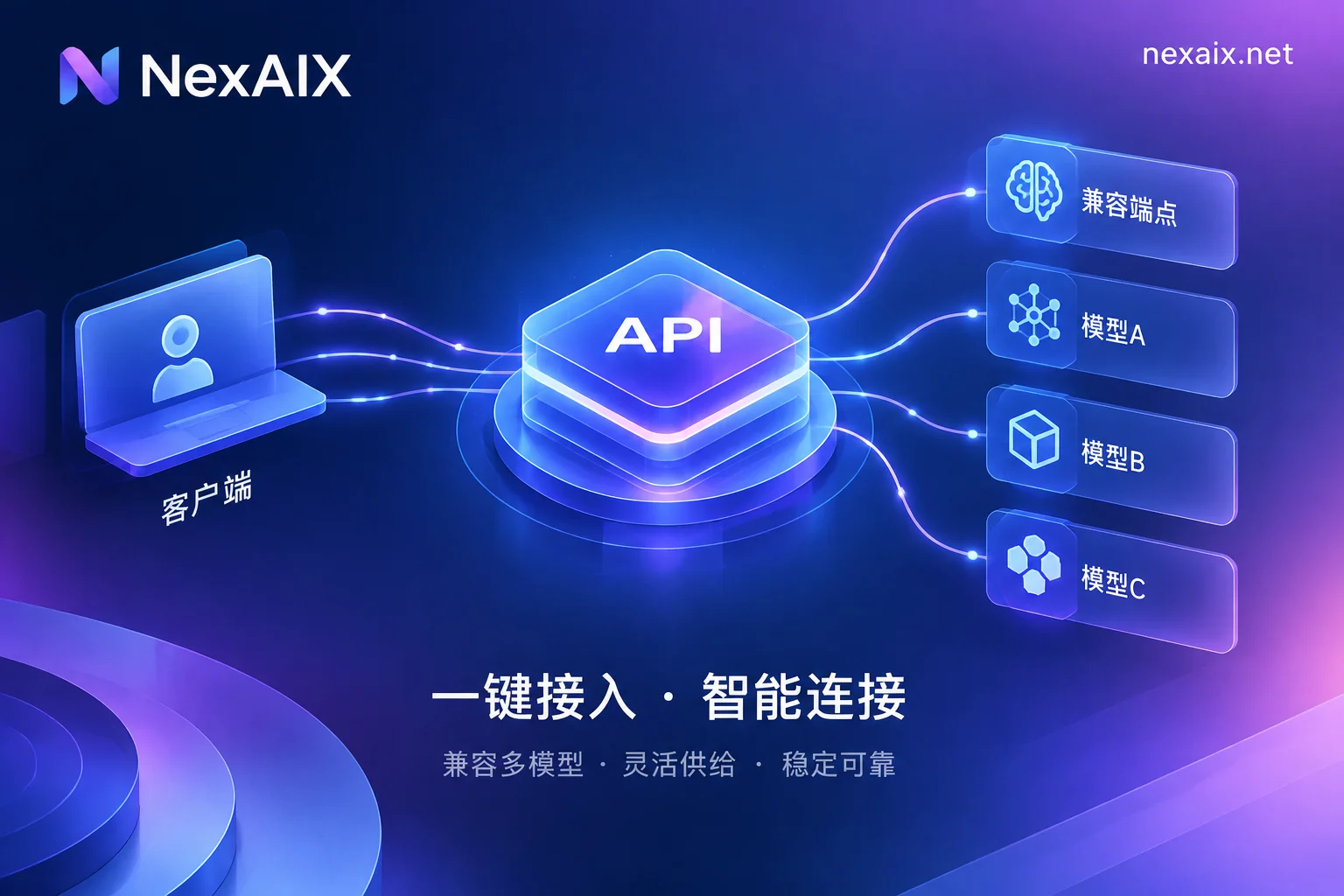
NexAIX provides an OpenAI Chat Completions compatible interface (base_url https://api.nexaix.net/v1), allowing you to switch between multiple models with the same prompt, retaining only billing and troubleshooting metadata (request ID, model name, token counts, etc., not prompt content), and returns standard 429 on overload without silent downgrade, making it easy to run cost comparisons with the same script. When running comparisons with the same eval set, refer to the Performance testing framework for self-hosted AI APIs to design test methods. Specific prices and cache billing are subject to NexAIX's current pricing page.
Cost Optimization Checklist: 8 Items You Can Execute This Week
| No. | Check Item | Verification Method |
|---|---|---|
| 1 | Verify three-tier unit price sources | Compare with official pricing page, record observation time |
| 2 | Deploy usage tracking and hit rate dashboard | Confirm ability to count cached_tokens and hit rate |
| 3 | Move dynamic variables to the end | Check if prompt has timestamps, random IDs at the beginning |
| 4 | Freeze tool schemas | Set versions, evaluate changes |
| 5 | Set max_tokens and stop conditions | Check call parameters, count average output tokens |
| 6 | Set hard input cap for context | Set max_input_tokens for each call type |
| 7 | Tag by pipeline for cost attribution | Check logs for link field |
| 8 | Run eval cost comparison before migration | Use same eval set to compare three-stage tokens between two models |
Among these 8 items, the first three can be done on the same day, while the rest require some engineering work. After completing the first round, decide whether to switch models—often the money saved by switching models is less than what you can save by improving hit rates.
FAQ
How to calculate large model API costs?
Cost = Cache Miss input tokens × Miss unit price + Cache Hit input tokens × Hit unit price + output tokens × output unit price. First check cached_tokens in usage, then apply the formula.
How to improve prompt cache hit rate?
Put fixed system prompts and tool schemas at the front, dynamic data (timestamps, user IDs) at the end, and keep the prefix unchanged. For multi-turn conversations, avoid changing history order and freeze tool schema versions.
How much do input and output tokens differ in price?
Taking DeepSeek-V4-Flash-0731 as an example, the output unit price of $0.28/M is twice the Cache Miss input of $0.14/M and 100 times the Cache Hit input of $0.0028/M. Controlling output and hit input is key to saving money.
What to do if long-context call costs are too high?
Set a hard input token cap, use retrieval truncation and summary compression to reduce input. Distinguish fixed knowledge and dynamic retrieval, and place dynamic parts later.
Why did my AI API bill suddenly skyrocket?
The most common reasons are a drop in cache hit rate (prompt prefix changed), longer outputs, or increased call volume. Use usage logs to compare the three-stage token counts before and after, and identify which segment grew.
How to estimate API costs after switching models?
Run the same eval set and the same prompts on both models, collect three-stage token counts and request counts, then convert at each model's unit price. Don't just look at listed prices; actually measure tokenizer differences.


Comments(0)